
You're probably dealing with two signature problems at once. One document has to go out today, but someone on the other side insists on “signing in ink.” Another document could be signed online in minutes, yet your team still prints it, scans it, emails it back, and hopes nobody misses a page.
That mix is normal for small businesses. A wet ink signature still matters in some situations, but it shouldn't be your default for every agreement. The smarter approach is simple: know when the law or the institution requires pen on paper, and move everything else to a compliant electronic process that doesn't trap you in another monthly software bill.
Table of Contents
- The Enduring Power of the Pen What Is a Wet Ink Signature
- Wet Ink vs Electronic Signatures A Tale of Two Contracts
- When the Law Demands Ink Scenarios Requiring a Wet Signature
- Managing Risks and Best Practices for Wet Signatures
- Transitioning to E-Signatures A Simple Path with SignWith
- Conclusion Signing Your Way to a More Efficient Future
The Enduring Power of the Pen What Is a Wet Ink Signature
A wet ink signature is the old standard because it's physical, visible, and tied to a specific moment in time. When a person signs paper with a pen, the act feels formal in a way that typing a name often doesn't. That's part of why people still reach for paper in serious transactions.
A practical definition helps. A wet ink signature is a physical handwritten mark created by applying wet ink directly onto paper, and the term “wet” comes from the ink being fluid at the moment of signing, as explained in Fynk's explanation of wet signature meaning. The same source notes that this method remains the statutory standard for certain high-stakes legal instruments, including real estate deeds, wills, trusts, and notarized instruments in numerous jurisdictions.
Why the word wet matters
The word sounds old-fashioned, but it tells you exactly why the signature has legal staying power. The signer didn't just approve a file. They made a mark on an original physical document.
A wet ink signature resembles a handshake that leaves a trace. A handshake shows intent in the moment. A wet ink signature does that too, except it stays on the page and can later be examined, stored, witnessed, notarized, or presented in court.
Practical rule: If a process depends on the original paper itself, not just the content of the document, a wet ink signature may still matter.
That physical quality also creates evidence that a screen-based process doesn't create in the same way. On paper, examiners can look at stroke direction, pen pressure, and how the signature was formed. That doesn't mean paper is always safer. It means paper carries a different kind of proof.
Why paper still carries legal weight
Small business owners often assume wet ink survives because the law is slow to change. That's part of it, but not the whole story. Paper survives because some legal systems still treat original signed documents as the clearest proof of identity, intent, and formal execution.
That's why wet ink still shows up in documents tied to inheritance, land ownership, court procedure, and notarization. In those settings, the paper isn't just a container for words. It's part of the evidence.
If you run a business, the useful takeaway isn't nostalgia. It's classification. Some documents belong in the paper lane. Most routine business documents don't.
Wet Ink vs Electronic Signatures A Tale of Two Contracts
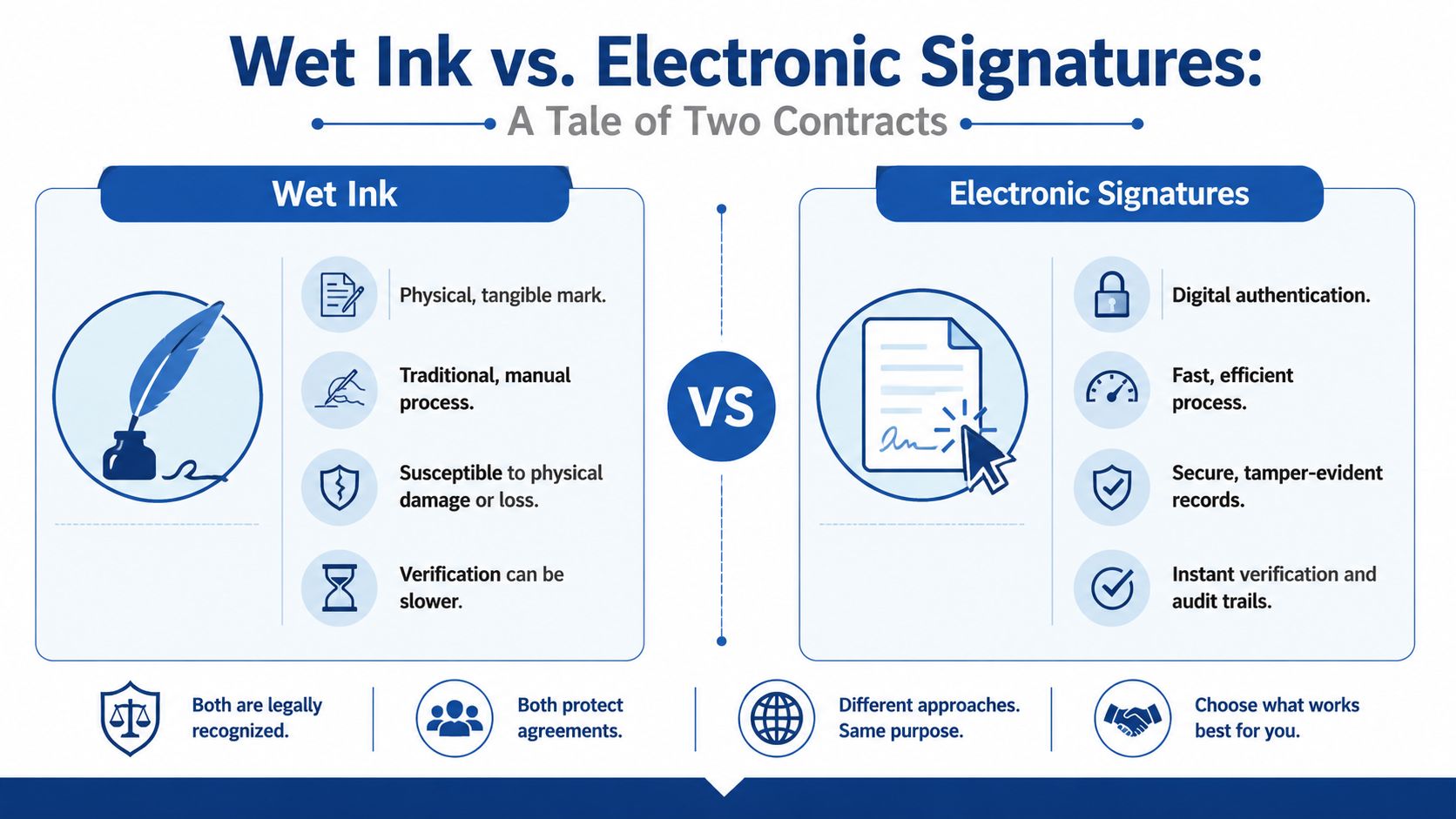
A signed paper contract and a signed electronic contract can both be enforceable. What changes is how they prove that a person meant to sign, what record gets preserved, and how easy it is to show what happened later.
They can both be valid but they work differently
For U.S. businesses, the key point is this: electronic signatures aren't a legal shortcut. They have their own rules. Under U.S. law, the legal foundation comes from ESIGN and UETA, and both require four elements for an electronic signature to be valid: intent to sign, consent to do business electronically, association of the signature with the record, and record retention that allows accurate reproduction for reference by all parties, as summarized in DocuSign's ESIGN and UETA overview.
That's why an e-signature isn't just a pasted image of handwriting. A compliant system ties the act of signing to the document and keeps a usable record.
If you want a plain-English breakdown of the distinction, this guide on digital signature vs electronic signature is helpful because many business owners mix those terms together.
A practical side by side view
| Factor | Wet ink signature | Electronic signature |
|---|---|---|
| How it's created | Handwritten with ink on paper | Created through a digital signing process |
| Proof of signing | Physical document, witnesses, notary, surrounding facts | System record connecting signer, action, and document |
| Speed | Slower when printing, mailing, scanning, or meeting in person | Faster for remote signing and approvals |
| Storage | File cabinets, scans, and manual version control | Searchable digital records and easier retrieval |
| Risk pattern | Loss, damage, incomplete pages, harder tracking | Depends on platform quality and compliance setup |
| Best fit | Documents that law or policy still require on paper | Most routine business agreements |
A common mistake is treating all signatures as if they create the same evidence. They don't. A wet signature relies on the paper and the surrounding circumstances. An electronic signature relies on the signing workflow and the stored record.
That distinction matters when the contract itself later becomes part of a dispute. If your team works in sales, lending, consulting, or financial services, contract language matters just as much as signature method. This misrepresentation guide for financial professionals is worth reading because a clean signature process won't fix bad drafting or misleading terms.
A strong contract process asks two separate questions. Was the document signed correctly, and was the deal described honestly?
For modern teams, the practical conclusion is straightforward. Use wet ink when you must. Use a compliant electronic workflow when you can. The legal result may be similar, but the operational burden is not.
When the Law Demands Ink Scenarios Requiring a Wet Signature
This is the question most owners care about: when do you have to stop the digital workflow and get out a pen?
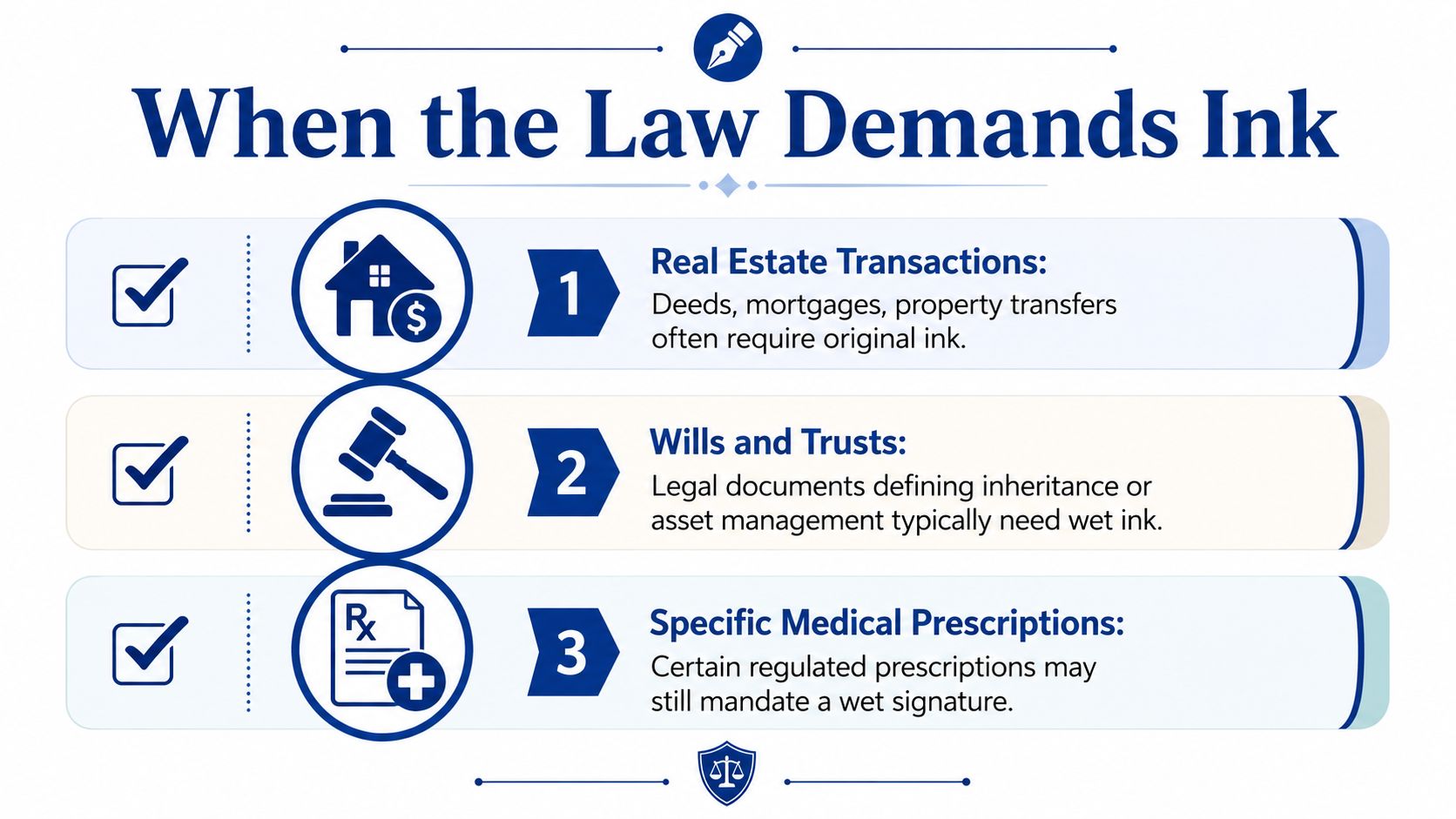
The answer isn't “never,” and it also isn't “for anything important.” The answer is narrower. In modern legal and financial practice, wet ink signatures are still mandatory for a defined set of critical documents, including wills, adoption paperwork, court orders and filings, trusts, divorce papers, and certain immigration papers, according to Eversign's discussion of wet signature requirements.
Documents that often still require pen on paper
Here's the practical pattern.
Estate documents: Wills and many trusts still sit in the wet ink category because courts and probate systems often rely on formal execution rules, witnesses, and original signed documents.
Court-related filings: Court orders, filings, and some divorce-related documents can still require original signatures depending on the filing rules and who is signing.
Family law and personal status documents: Adoption paperwork often carries stricter formalities because the legal consequences are permanent and highly sensitive.
Immigration and government paperwork: Some government processes still require physical signatures because the agency's own rules haven't moved fully online.
High-value institutional paperwork: Certain financial instruments, major loans, promissory notes, building permits, or tax forms may still be handled with wet signatures when the institution or governing rule requires original ink.
Where business owners get tripped up
The confusion usually comes from overgeneralizing. A business owner sees one lease packet or one notarized affidavit that required paper, then assumes every agreement should be printed.
That's expensive thinking. It slows down deals, hiring, vendor approvals, and renewals for no legal reason.
A better approach is to sort documents into two buckets:
Statutory or institution-required wet ink
These go through a paper-first process because the law, court, agency, or counterparty requires it.Routine commercial documents
These usually work better with compliant e-signatures, especially service agreements, NDAs, proposals, onboarding forms, and internal approvals.
If you work with rentals or property paperwork, it helps to separate leases from deeper title documents. Many teams still confuse the two. This article on can you sign a lease electronically is useful for that boundary, and these modern digital lease solutions show how landlords and operators are handling lease workflows more efficiently.
Don't ask whether a document feels important. Ask whether a rule, court, agency, or institution requires original ink.
That one change in thinking keeps you from forcing paper into places where it no longer belongs.
Managing Risks and Best Practices for Wet Signatures
Paper feels secure because you can hold it. That feeling can be misleading. A wet ink signature has legal value, but the workflow around it is fragile.
The weak spots in a paper process
A handwritten signature can be challenged, forged, misplaced, or separated from the context that gave it meaning. Verification is not always easy. In fact, forensic analysis shows that human examiners can correctly identify the origin of signatures, genuine versus simulated, in approximately 57.6% of cases on average, which highlights how difficult wet ink verification can be without more advanced tools, according to this forensic study on signature examination.
That doesn't make wet signatures useless. It means the signature alone often isn't enough. Businesses need supporting process discipline.
Common failure points include:
- Missing pages: One party signs an outdated version or returns an incomplete packet.
- Weak storage: Originals get filed inconsistently, damaged, or lost during a move.
- Unclear delivery chain: Nobody can later show who handled the document and when.
- Scan confusion: Teams assume a scanned signature carries the same weight as the original paper in every context. It doesn't.
How to make a wet ink process safer
If a document really needs ink, tighten the process around it.
- Use witnesses when appropriate: A third-party witness can strengthen credibility and help confirm what happened during signing.
- Protect the paper itself: Watermarked paper can add a harder-to-replicate layer for especially sensitive documents.
- Control versions: Mark final copies clearly and make sure every signer is signing the same document set.
- Store executed originals carefully: Keep originals in a secure, indexed system with restricted access and a clear retention policy.
- Create complete PDFs after signing: If you need to archive or circulate signed paper documents, combine pages into one final file so nobody is working from fragments. These best practices for merging PDFs without uploads are useful when handling sensitive signed records.
Paper needs process. Without that process, a wet signature becomes a loose artifact instead of reliable evidence.
For a small business, that's the hidden cost of paper. The signature may be simple. The management burden isn't.
Transitioning to E-Signatures A Simple Path with SignWith
Once you know which documents still belong on paper, the next step is to stop using paper for everything else. That shift doesn't have to be complicated, and it doesn't require buying an oversized enterprise system if your signing volume is occasional or uneven.
What compliant electronic signing actually requires
For U.S. transactions, the baseline legal point is clear. Under the ESIGN Act, enacted on June 30, 2000, electronic signatures and records are legally valid for transactions in or affecting interstate commerce if the consumer has affirmatively consented to their use, which means wet ink signatures are not required for legal effect, as stated in this ESIGN Act compliance summary.
That's why compliance matters more than mimicry. The goal isn't to make a digital signature look like handwriting. The goal is to capture intent, consent, document association, and retention in a way that holds up.
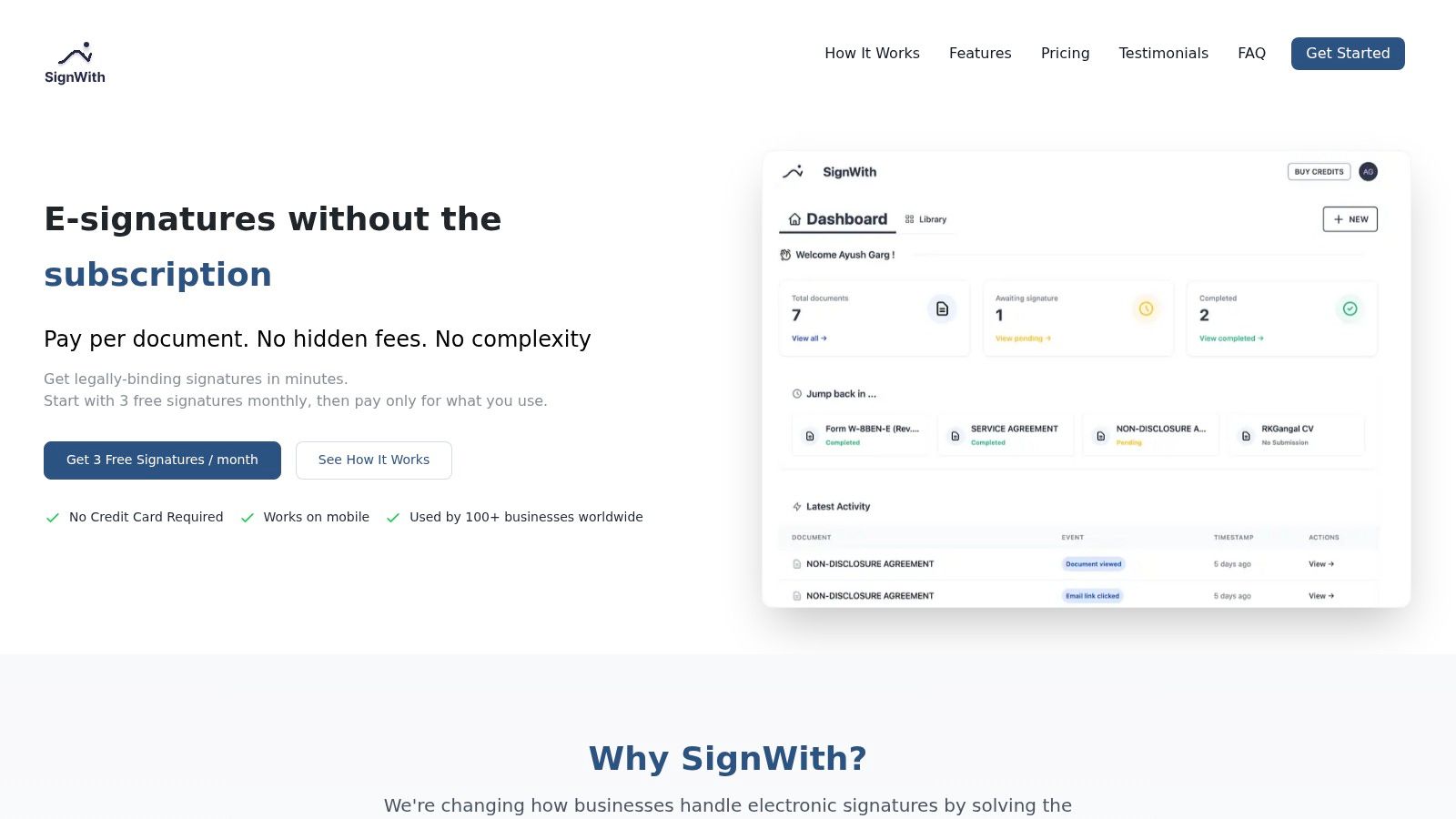
SignWith is complied with USA standard for e-signature, ESIGN Act and UETA. For a small business owner, that matters more than a long feature list. You need a process that is legally binding, easy for signers, and simple for your team to track.
A low friction model for occasional signing
Many smaller teams don't need another subscription. They need a practical way to send a proposal, NDA, onboarding packet, or client agreement without paying for seats they won't use.
A pay-per-document setup fits that reality better than subscription-heavy tools because it aligns cost with actual signing activity. It also reduces the pressure to force every workflow into one platform just to justify a monthly fee.
A simple path usually looks like this:
- Keep a wet ink list: Put true exceptions in writing so your team knows which documents stay on paper.
- Move repeatable documents online: Start with contracts, acknowledgments, approvals, and forms that don't require original ink.
- Use one compliant workflow: Avoid mixing random PDF tools, email approvals, and pasted signature images.
- Give signers a simple experience: If clients or contractors can sign on any device without creating an account, turnaround gets easier.
If you want to test that approach before changing your wider process, try a free e-signature tool on a low-risk document such as an internal acknowledgment or standard service agreement.
A quick product walkthrough helps make the shift feel concrete:
The primary advantage isn't novelty. It's removing delay from documents that never needed to be printed in the first place.
Conclusion Signing Your Way to a More Efficient Future
The path from quill pen to click-to-sign isn't a story about abandoning tradition. It's a story about using the right tool for the right document.
A wet ink signature still has a real role. When you're dealing with wills, trusts, court filings, adoption paperwork, or other documents tied to strict formalities, paper may still be the correct route. In those moments, the safest move is to slow down, verify the requirement, and manage the paper trail carefully.
But most small business documents don't live in that category. Sales agreements, NDAs, onboarding forms, proposals, and routine approvals usually work better in a compliant electronic workflow. That shift reduces printing, mailing, scanning, filing, chasing signatures, and wondering which version is final.
The practical decision is not “paper or digital forever.” It's this: use ink where law or policy demands it, and use compliant e-signatures everywhere else. That approach protects your business without dragging your daily operations through unnecessary friction.
If you make that distinction clearly, your team gets faster, your records get cleaner, and your signing process becomes easier to defend.
If you want a simple way to handle the documents that don't require paper, SignWith gives small businesses a practical option. It supports legally binding e-signatures under the U.S. ESIGN Act and UETA, avoids subscription lock-in with a pay-per-document model, and makes it easy to send, sign, track, and store agreements without turning routine paperwork into a printing project.