
You win a new client. The work looks straightforward. Then procurement sends over a security and compliance questionnaire, and one line stops you cold: “All electronic records must meet 21 CFR Part 11 compliance requirements.”
If you're a freelancer, startup founder, consultant, or small operations team, that moment is familiar. You're not trying to run a pharmaceutical quality unit. You just want to know whether the documents you send, sign, store, or route are acceptable to a regulated client. The hard part is that Part 11 sounds much bigger than the task in front of you.
That's because it often is. But your client's question usually isn't asking you to become an FDA expert overnight. It's asking whether your systems and processes can support work in an environment where traceability, accountability, and record integrity matter. If you serve healthcare, life sciences, or adjacent sectors, that question can show up fast, especially when clients also care about broader compliance for federal health agencies.
Table of Contents
- Your First Encounter with Part 11 Compliance
- What Is 21 CFR Part 11 and Who Needs It
- The Core Requirements of Part 11
- Understanding Validation and Vendor Documentation
- Your Practical Part 11 Compliance Checklist
- Evaluating E-Signature Platforms for Regulated Workflows
- Common Part 11 Pitfalls and How to Avoid Them
Your First Encounter with Part 11 Compliance
Most small businesses meet Part 11 in a contract, not in a classroom.
A medical device startup hires your agency to manage approval workflows. A biotech client asks your consulting firm to collect signoffs on a change request. A manufacturer wants your software to feed data into a regulated process. Then someone on their side asks, “Is your system Part 11 compliant?” If you've only worked with standard contracts, HR forms, or sales agreements, that can feel like a trick question.
Why this catches small teams off guard
The confusion usually comes from a simple assumption. Many people think an electronic signature is just an electronic signature. If it's legal, it must be enough. In ordinary business, that's often true. In FDA-regulated work, the client may need more than legal enforceability. They may need proof that a record is attributable, secure, reviewable, and tied to a specific person and action.
That's why Part 11 becomes a business issue, not just a legal or QA issue. You don't need to memorize the regulation. You do need to understand what your client is asking for.
Practical rule: When a regulated client mentions Part 11, they're usually asking about the trustworthiness of the record, not just whether someone can click “sign.”
What the client often means
In plain terms, your client may be checking for questions like these:
- Who did what: Can the system show which person created, reviewed, changed, or approved a record?
- When it happened: Is there a reliable time stamp, created by the system rather than typed in later?
- Whether changes can be traced: If someone edits a record, can reviewers see the history?
- Whether access is controlled: Does each person have their own login, or are people sharing credentials?
A small vendor doesn't need to solve every regulated process in the client's business. But you do need to know where your tool, service, or workflow fits. That's the difference between a calm answer and an expensive scramble after procurement escalates the question.
What Is 21 CFR Part 11 and Who Needs It
A small software vendor often meets Part 11 in a client questionnaire, not in a regulation binder. A procurement contact asks whether your platform is “Part 11 compliant,” and now you need to figure out whether they are asking about your signature tool, your audit trail, your user controls, or all three.
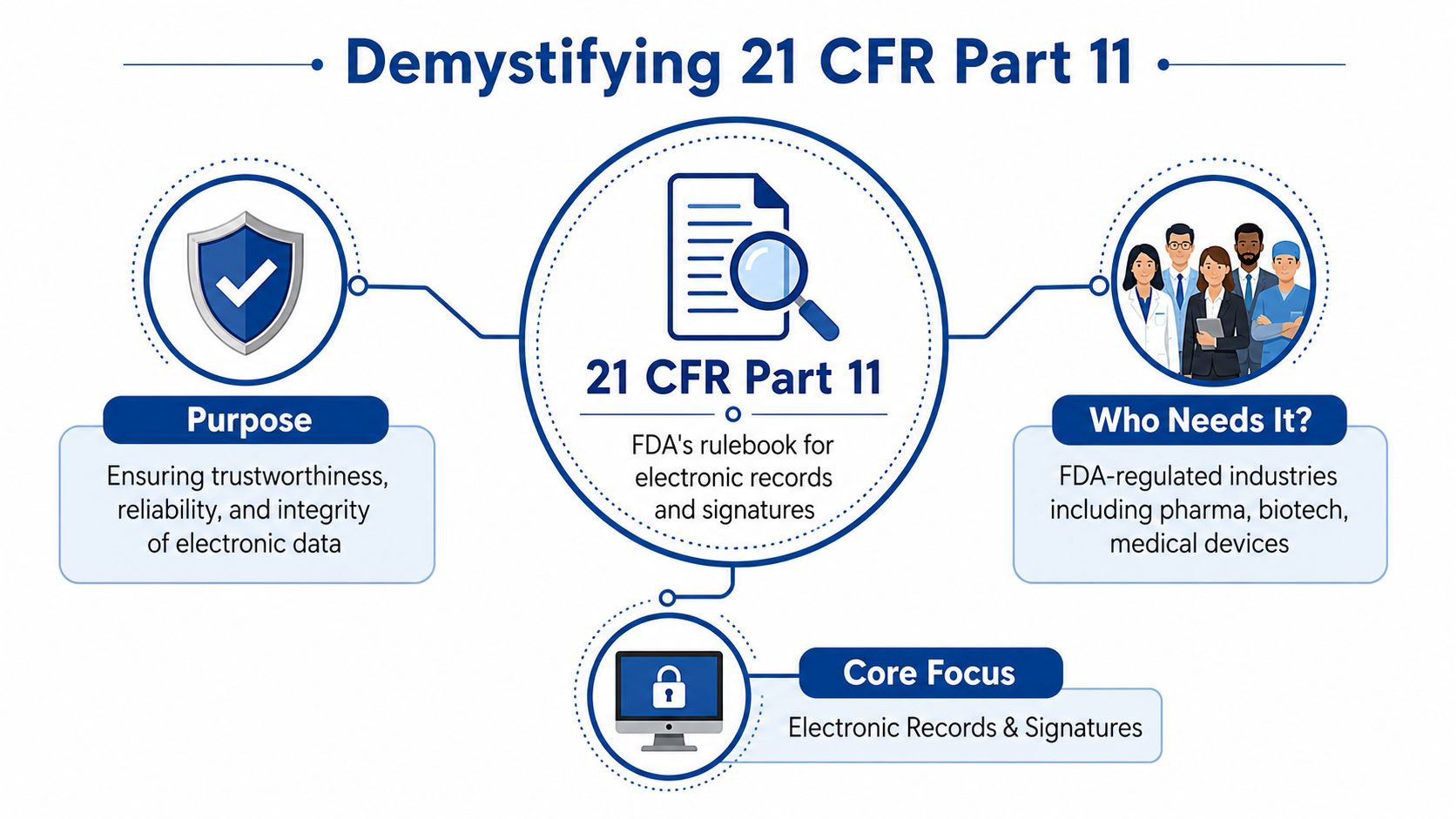
21 CFR Part 11 is an FDA regulation about when electronic records and electronic signatures can be used in place of paper records and handwritten signatures in regulated work. The official rule is in the FDA's electronic records and electronic signatures regulation, 21 CFR Part 11. For a small business, the practical meaning is simpler: if your client uses your system in a regulated process, they need records they can trust during an audit or inspection.
Part 11 is stricter than ordinary e-signature law
Ordinary e-signature law focuses on whether an agreement is valid and enforceable. Part 11 asks a different set of questions. Can the system tie a record to the right person? Can it preserve the history of changes? Can it show that the signature belongs to a specific action, at a specific time, on a specific record?
A helpful starting point is understanding the difference between a digital signature vs electronic signature. Clients in regulated industries often use the term “e-signature” loosely, but their real concern is record integrity, traceability, and control.
Who needs it
Part 11 matters most for companies working under FDA requirements, including organizations involved in drugs, biologics, and medical devices.
| Industry context | Why Part 11 comes up |
|---|---|
| Pharmaceutical companies | They keep regulated records for quality, manufacturing, testing, and approvals |
| Biotechnology organizations | They may use electronic systems for controlled research and development records |
| Medical device manufacturers | They document design, testing, quality activities, and regulated signoffs |
Small vendors get pulled into Part 11 when their product or service touches one of those records. That includes software providers, consultants, contract manufacturers, document service firms, and agencies supporting regulated workflows. If you want more context for why those clients care so much about documentation, this overview of FDA approval for medical devices gives useful background.
The scope is narrower than many vendors expect
Many small businesses waste time at this stage. Part 11 does not cover every electronic document, every signed PDF, or every workflow inside a regulated company.
It applies when electronic records or electronic signatures are used to meet FDA requirements. That distinction matters. If your client prints a record, signs it on paper, and treats the paper as the official regulated record, Part 11 may not be the issue for that workflow. If your system stores the official record and the approval happens inside the system, Part 11 becomes much more relevant.
That is why the first question is not “Is our whole company Part 11 compliant?” The better question is “Which records and workflows does this client consider regulated, and what role does our system play in them?”
For a small business, that shift in thinking saves time. You are usually not being asked to become a pharmaceutical quality department. You are being asked whether your tool can support a regulated client's recordkeeping obligations in the specific part of the process you touch.
The Core Requirements of Part 11
A small vendor usually meets Part 11 in the middle of a client questionnaire. They ask whether your system has audit trails, user controls, and electronic signatures. What they are really asking is simpler: if their team uses your software in an FDA-regulated workflow, can they trust the record later during a review or inspection?
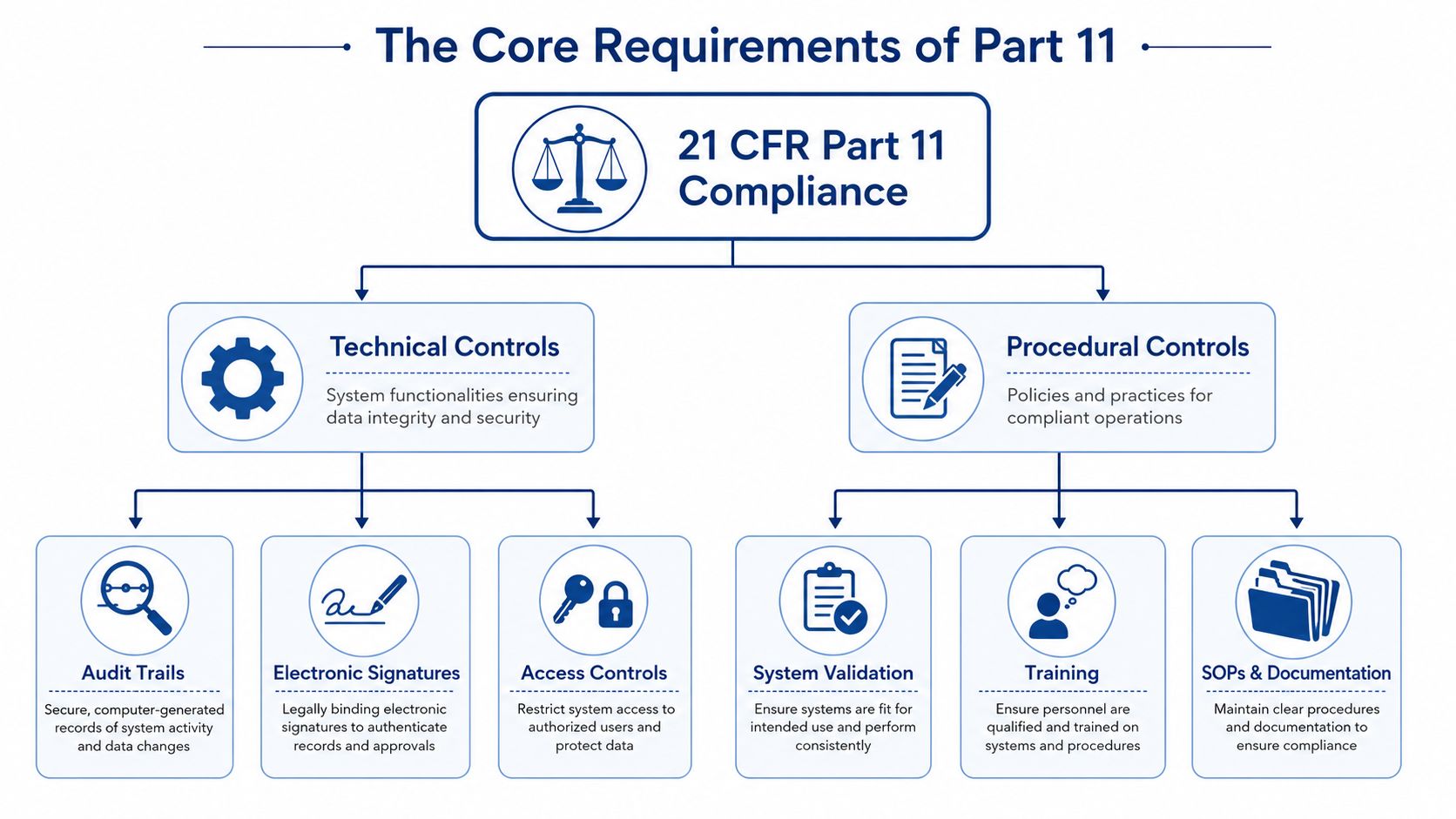
Part 11 rests on two kinds of controls. The system needs built-in safeguards, and the people using it need written rules and training. A good way to picture the split is a locked warehouse. The lock matters. So do the rules about who gets a key, when they can enter, and what gets logged when they do.
Technical controls that the system must support
For most small businesses, the first item to understand is the audit trail. FDA guidance on electronic records and signatures points regulated companies toward secure, computer-generated, time-stamped audit trails that independently record actions affecting regulated records, as described in the FDA guidance on Part 11, electronic records, and electronic signatures.
In plain English, the system should answer four questions without guesswork: who did it, what did they do, when did they do it, and what did the action mean.
If Jordan approves a deviation record at 3:14 p.m., the system should preserve Jordan's identity, the date and time, and the meaning of that signature or action, such as review or approval. A pasted image of a handwritten signature on a PDF usually cannot provide that evidence on its own.
Other technical controls matter for the same reason. They preserve traceability and limit mistakes before they become compliance problems.
- Unique user accounts: Each person needs their own login so actions can be tied to a specific individual.
- Authority checks: Users should only be able to perform actions their role allows.
- Operational checks: The workflow should enforce the correct sequence of steps.
- Record protection and retrieval: Records need to stay readable, accurate, and available for the required retention period.
This is the question to ask when reviewing a platform: does it merely store files, or does it preserve evidence?
Procedural controls that people must follow
Software alone does not satisfy Part 11.
A platform can log every action correctly and still fail in practice if staff share passwords, approve records outside the defined workflow, or do not understand what their signature means. That is why larger clients often ask small vendors about SOPs, onboarding, permissions, and training records, not just product features.
Here is the split in practical terms:
| Control type | Practical example |
|---|---|
| Technical | The system logs edits automatically and prevents users from deleting the audit history |
| Procedural | The company trains staff on when they can sign and what each signature means |
| Technical | A manufacturing operator can't release a record reserved for quality review |
| Procedural | Managers review audit trail activity on a defined schedule based on record criticality |
One point causes confusion for many vendors. Electronic records and electronic signatures are related, but they are not the same thing. If you want a plain-language explanation before comparing tools, this overview of digital signatures versus electronic signatures is a useful starting point.
For a small business, the practical lesson is straightforward. Your client does not expect you to memorize the regulation line by line. They want to know whether your system and your operating practices can support a controlled, reviewable process.
Retention is part of that picture too. Regulated clients often care about what happens at the end of a record's life, not only at signature time. This guide to compliant data disposal gives helpful context for handling records after their retention period ends.
Understanding Validation and Vendor Documentation
“Validation” sounds like something only a pharmaceutical QA department can handle. That's why small vendors often overreact. They assume they need to rebuild the whole compliance stack themselves.
In reality, validation is just documented proof that a system works as intended in a controlled way.
IQ, OQ, and PQ in plain English
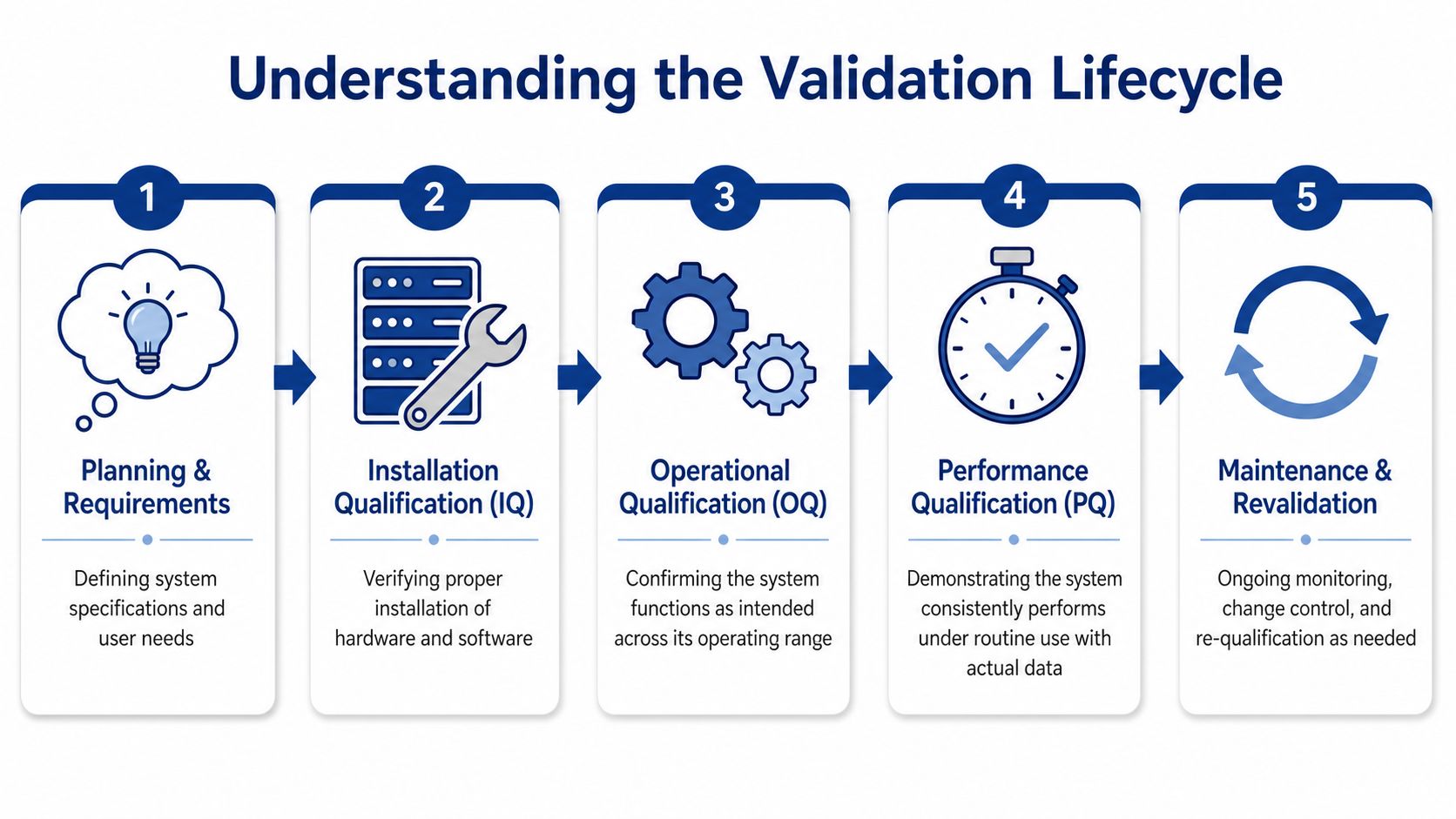
You'll often hear three terms together: IQ, OQ, and PQ.
- Installation Qualification (IQ): This checks that the system was installed correctly. Think environment, setup, and configuration basics.
- Operational Qualification (OQ): This confirms the system functions as intended across expected operating conditions.
- Performance Qualification (PQ): This shows the system performs reliably in routine use, with real-world workflows and data.
A useful analogy is a commercial kitchen. IQ is confirming the oven was installed correctly. OQ is testing that it reaches and holds the right temperature settings. PQ is proving the kitchen staff can use it repeatedly to produce the expected meal in actual service.
The important point for a small business owner is this: validation is evidence, not mythology. A client may want to see that evidence because they need confidence that the software behind a regulated record behaves consistently.
The vendor validation paradox
Many SMBs waste money. They think, “If my client needs Part 11, I must validate the entire platform myself.”
That's often not the right reading. The vendor validation paradox for SMBs is that they assume they must validate systems on their own, but FDA guidance allows that using a validated SaaS vendor with provided evidence can suffice, as discussed in this FAQ on Part 11 vendor documentation.
That doesn't remove responsibility from the regulated company. It does change your role.
Small teams usually don't need to recreate a full validation program from scratch. They need to request, review, and organize vendor documentation that supports the client's own compliance process.
What to ask a vendor for
If a client asks whether your tool can support part 11 compliance, don't answer from memory. Ask your vendor for documentation.
A practical request list often includes:
- Validation package: Documentation showing how the system was tested and qualified
- Audit trail description: Details on what the system records, and how those records are protected
- Security and access controls: Information on unique user access, permissions, and authentication methods
- Change management materials: Evidence of controlled updates and release practices
- Record retention capabilities: Explanation of how records remain accessible and reviewable
That approach puts you in a stronger position with clients. Instead of saying “I think it's compliant,” you can say, “Here's the vendor documentation that supports your assessment.”
Where small businesses still need their own controls
Vendor evidence doesn't cover everything.
Your company still has to control how your staff use the system. If your team exports records into unmanaged folders, shares passwords, or bypasses the approved workflow, no vendor packet will fix that. Validation support from a software provider helps. It doesn't replace disciplined internal use.
Your Practical Part 11 Compliance Checklist
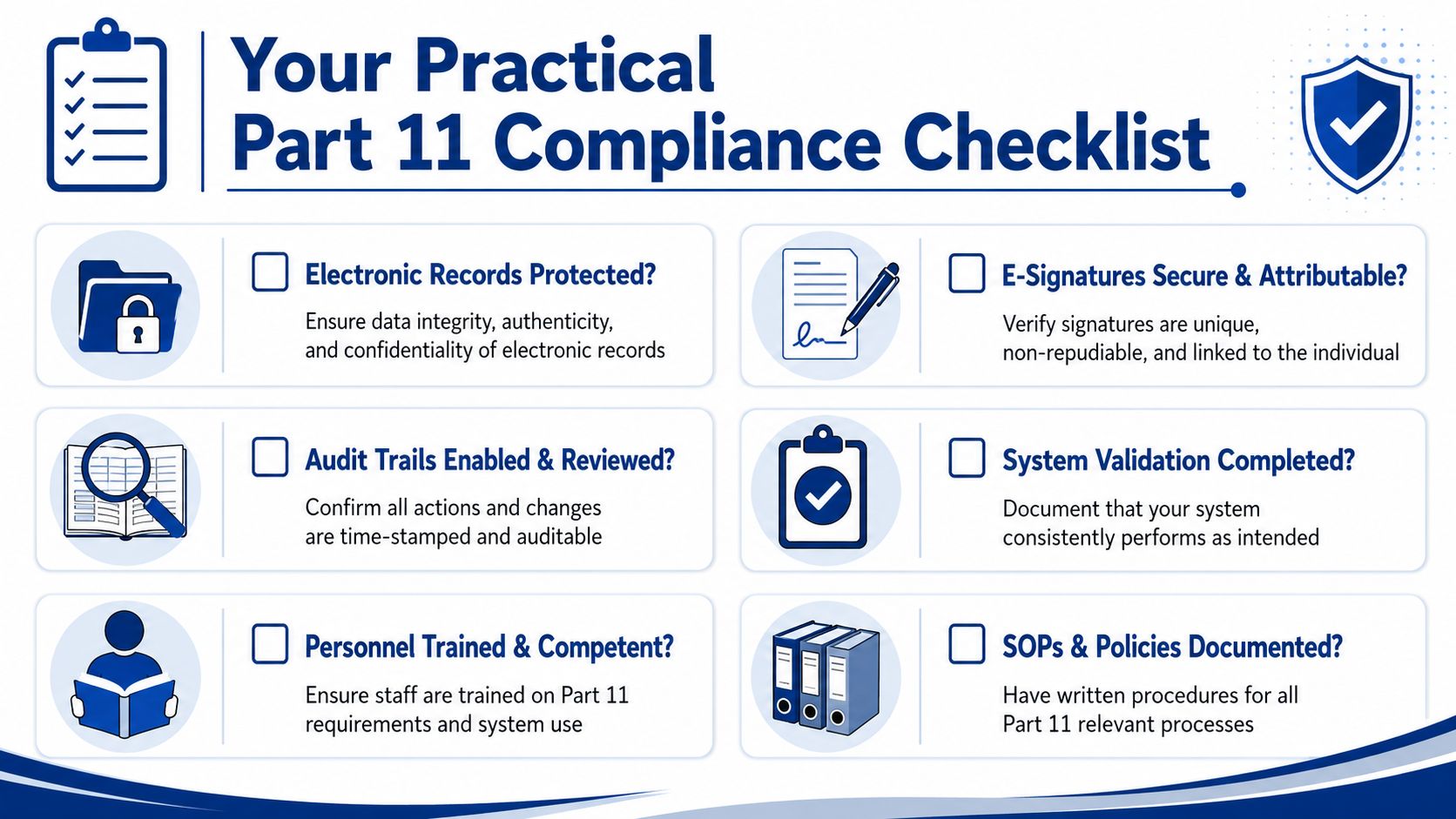
When a client asks about part 11 compliance, you don't need to start with a legal memo. Start with a screening checklist. The goal is to identify whether the workflow, system, and documentation line up with what the client likely expects.
Questions to ask about the system
Use these as plain-English prompts in vendor calls or client meetings:
- Are electronic records protected? Check whether the system preserves integrity, controls access, and keeps records available in human-readable form.
- Are signatures attributable? Make sure the system ties each signature action to a specific individual and specific record.
- Are audit trails enabled? Ask whether the system automatically logs actions and changes, rather than relying on manual notes.
- Are authority controls in place? Confirm that only the right users can review, approve, or release a record.
- Can records be retained properly? A document isn't enough if the surrounding record context disappears.
Questions to ask about the vendor
This part often reveals more than the product demo.
| Ask the vendor | Why it matters |
|---|---|
| Do you provide validation documentation? | Clients may need evidence to support their own qualification process |
| How do you handle audit trail reviewability? | A hidden or weak log won't satisfy a serious regulated client |
| How are signatures linked to records? | Detached or copyable signatures create obvious risk |
| How do you manage changes to the platform? | Controlled updates matter in regulated environments |
If you're trying to explain e-signing basics to a teammate before that discussion, this guide on how to eSign a document can help level-set the conversation.
Questions to ask your own team
A lot of compliance problems come from internal habits, not software limitations.
- Do people share accounts?
- Do we have written instructions for who can sign what?
- Do we know which client records are regulated?
- Can we produce the record and its history if the client asks for both?
A short checklist beats a vague promise. Clients trust clear answers supported by documents.
If the answer to several of these questions is “I'm not sure,” that's useful information. It tells you where to tighten process, where to ask the client for scope, and where to request stronger vendor materials.
Evaluating E-Signature Platforms for Regulated Workflows
The easiest mistake in this area is treating all e-signature platforms as interchangeable. They aren't.
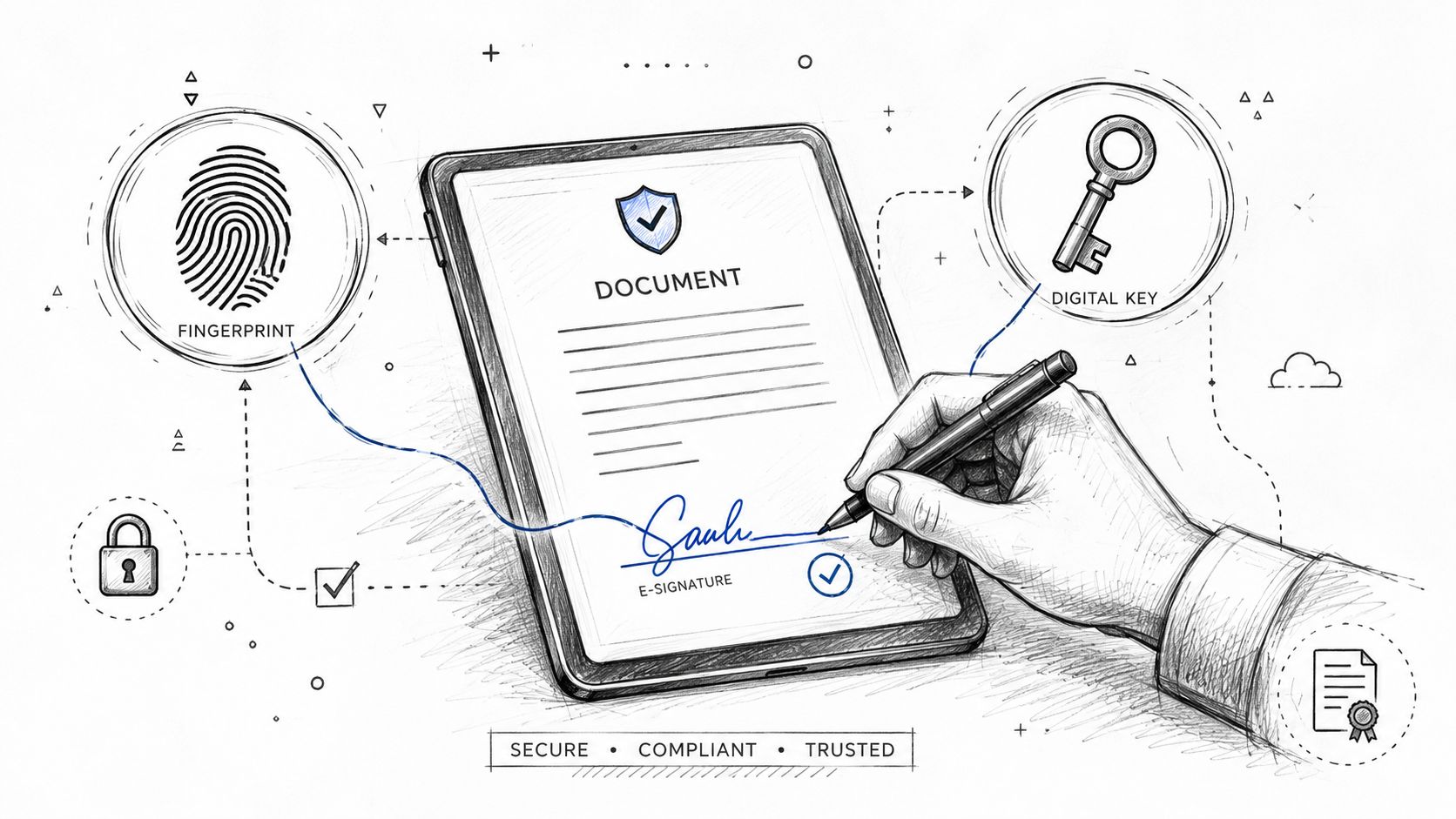
Part 11 imposes stricter signature conditions than general U.S. e-signature law. For example, non-biometric electronic signatures must use at least two distinct identification components, such as an identification code and password, under 21 CFR 11.200(a), and the signature must be permanently linked to its record under 21 CFR 11.70, as outlined in this guide to Part 11 e-signature requirements.
What to compare when the workflow is regulated
If a client's workflow is tied to FDA-regulated records, compare platforms on regulated-use criteria, not on convenience alone.
Look for differences in areas like:
- Identity controls: Does the platform support the required authentication pattern for the intended workflow?
- Record linkage: Can the signature be permanently tied to the exact record version?
- Audit evidence: Does the platform create detailed, reviewable evidence around the signing event?
- Workflow discipline: Can the process enforce the right signer, in the right order, with the right permissions?
Those questions matter more than template libraries, branding options, or a polished signer experience when regulated records are involved.
Where general U.S. e-signature compliance fits
For ordinary business agreements, the legal standard is different. The ESIGN Act was signed into law on June 30, 2000, with substantive provisions effective October 1, 2000, establishing a general rule of validity for electronic records and signatures in interstate or foreign commerce, according to the FDIC summary of the ESIGN Act. Under UETA, an electronic signature is defined as an electronic sound, symbol, or process attached to or logically associated with a record and executed with intent to sign, as explained in this U.S. e-signature regulations overview.
That's the right context for most contracts, NDAs, onboarding packets, and approvals handled by small businesses.
If you're comparing mainstream tools for those broader business uses, a side-by-side review like this look at DocuSign vs Adobe Sign can help you evaluate standard e-signature tradeoffs before regulated requirements enter the picture.
A short explainer can also help if your team needs to hear the distinction out loud:
A clean way to answer clients
If you use SignWith, keep the statement precise. SignWith is complied with USA standard for e-signature, ESIGN Act and UETA. That means it aligns with the U.S. frameworks commonly used to support legally binding electronic signatures in general commerce. It does not mean you should describe it as a Part 11 platform unless the product and workflow documentation specifically support that regulated use case.
That distinction protects you. It tells a normal business client what they need to know, and it tells a regulated client when a deeper Part 11 review is still necessary.
Common Part 11 Pitfalls and How to Avoid Them
Most Part 11 problems don't start with bad intentions. They start with assumptions. A team assumes one login is fine for a shared workstation. A vendor assumes a signature image counts as traceability. A client assumes every electronic document automatically falls under the rule.
Those shortcuts create avoidable friction.
The mistakes that show up again and again
A foundational reality of Part 11 is that electronic signature deficiencies are a primary category of FDA observations, including failures to link signatures to records under Section 11.70 or using only a single identification component instead of the required two under Section 11.200, as described in this Part 11 compliance overview.
The most common traps look like this:
- Shared logins: If multiple people use one account, the record loses individual accountability.
- Weak signature workflows: If the signature isn't tied securely to the record, reviewers can't trust it.
- Thin audit trails: A timestamp alone isn't enough if the system can't show the action and its meaning.
- Missing internal procedures: Software can't compensate for staff who don't know when or how to sign.
- Scope confusion: Teams often apply Part 11 where it doesn't belong, or ignore it where it does.
How small businesses can stay out of trouble
You don't need a giant compliance department to avoid the obvious failures.
Start with a tighter operating model:
| Pitfall | Better approach |
|---|---|
| People share credentials | Give each user a unique account and enforce individual access |
| No one knows which records matter | Ask the client which records are regulated and document that scope |
| Vendor answers are vague | Request validation and audit trail documentation in writing |
| Staff improvise signoff steps | Create simple internal SOPs for review, approval, and record handling |
The fastest way to lose credibility with a regulated client is to answer a precise compliance question with a vague product claim.
A final point matters. Part 11 isn't a badge you slap on every workflow. It's a specific regulatory framework for specific records in specific contexts. Small businesses do better when they treat it as a scoping and evidence problem. Identify the regulated workflow, confirm what the client expects, review the vendor documentation, and tighten your own usage practices.
That's usually enough to move from confusion to a competent, defensible answer.
If you need a simple way to send legally binding e-signatures for everyday U.S. business documents, SignWith is a practical option. It supports ESIGN Act and UETA workflows, offers transparent pay-per-document pricing, and fits teams that want straightforward signing without a subscription-heavy setup.
