
Remember the last time you had to print a long contract, sign every marked page, scan it, and send it back, only to wonder whether the file was legible enough to count? That workflow still exists in too many businesses, and it wastes time at exactly the point where people want momentum. A good electronic signature example isn't just a digital scribble on a screen. It's a complete process for sending, signing, tracking, storing, and proving what happened.
That distinction matters because individuals searching for an electronic signature example don't need a picture of a typed name. They need a working model they can use for an NDA, a hiring packet, a proposal, or a property document. They need to know what works when one signer is on mobile, when approvals have to happen in order, and when records need to stand up later.
Electronic signature use has moved into the mainstream. One industry summary reports that global e-signature transactions rose from 198 million to 4,754 million in five years, and that many agreements finish quickly once the process is digital, with 76% completed in less than a day and 50% in under 15 minutes according to these e-signature adoption statistics. That matches what operations teams already know. Friction at signature time slows everything else.
Table of Contents
- 1. PDF Document Signature with Form Fields
- 2. Multi-Signer Sequential Routing for Contracts
- 3. HR Onboarding Document Packages
- 4. Real Estate Transaction Documents and Disclosures
- 5. Non-Disclosure Agreement and Confidentiality Agreements
- 6. Client Proposal and Service Agreement Acceptance
- 7. Image-Based Document Signature Photo Mobile Capture
- 7 Electronic Signature Use-Case Comparison
- Your Next Step Implementing a Secure E-Signature Workflow
1. PDF Document Signature with Form Fields
The most common electronic signature example is still the most useful one. You upload a PDF, place signature, initials, date, and text fields exactly where they belong, and send it out without changing the original structure of the document. For service agreements, offer letters, NDAs, and standard approvals, that's usually the cleanest option.
This works because people already understand the document. They can see the familiar signature block, fill in title and date, and move forward without asking where to click or what to do next. If you've ever had a signer abandon a document because the fields felt random, you know why familiar placement matters.
Why this stays the default
PDF field signing is ideal when the document itself is part of the record. Legal, HR, and sales teams often want the signed version to look like the original approved template, not a reformatted web form.
Common cases include:
- Client agreements: Keep signature and date fields near the existing sign-off section so clients don't hunt through the file.
- Offer letters: Group acceptance signature, printed name, title, and date together so HR gets a complete record.
- NDAs: Add initials on the right pages if your template expects them, rather than forcing signers to improvise.
- Manager approvals: Put all required fields in one visual cluster so no one misses a title or date line.
For teams that send the same document over and over, consistency matters more than creativity. Reusing a field layout across similar templates reduces avoidable mistakes. If you need a practical walkthrough, this guide on how to electronically sign a PDF shows the basic setup.
Where teams get it wrong
The mistake isn't using PDFs. The mistake is treating the PDF like a static attachment and assuming the signer will figure it out.
Practical rule: If a signer has to zoom, scroll back, and guess where the next field is, the document isn't ready to send.
A few things work better in practice:
- Mobile-first field placement: Test on a phone before sending, because many signers won't use a desktop.
- Logical grouping: Keep name, signature, title, and date together rather than scattering them across the page.
- Template discipline: Use the same placement for recurring forms so internal teams can review them quickly.
- Audit trail review: Check completion records after signing, especially on higher-friction documents.
2. Multi-Signer Sequential Routing for Contracts
A contract with three signatures can be easy or painfully slow. The difference is routing. In a sequential workflow, each person receives the document only when the previous signer finishes. That sounds simple, but it's one of the most useful electronic signature examples for approvals that have to follow an order.
A vendor agreement might need procurement approval first, then legal, then an executive, then the counterparty. An employment contract might move from HR to the hiring manager and then to the candidate. If the wrong person signs too early, people start revising signed documents, and that creates cleanup work nobody wants.
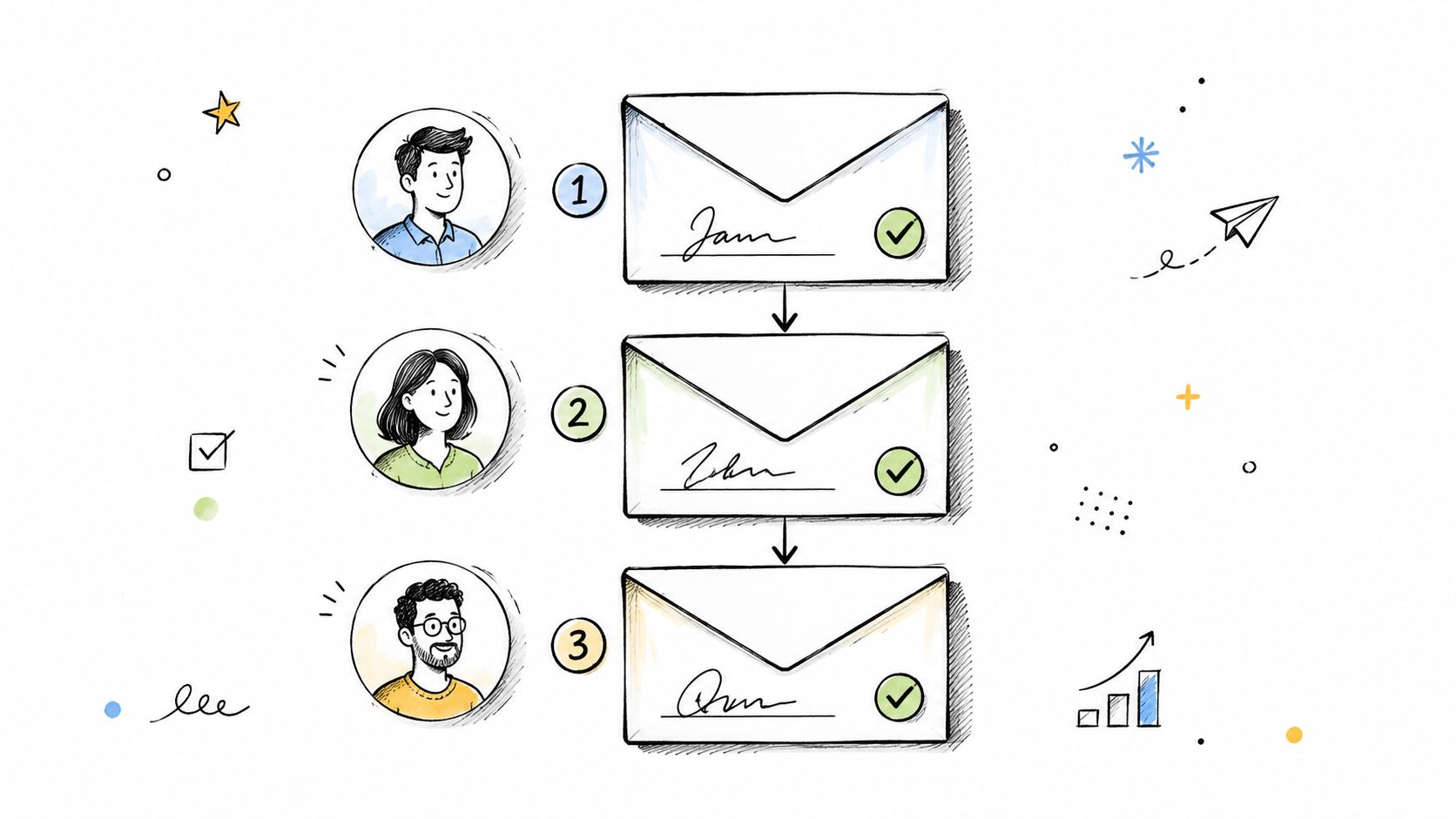
A real approval chain
This matters most when approval is part of control, not ceremony. OneSpan published a case study showing a top-5 U.S. bank deploying electronic signatures across all 3,084 branches for consumer and small-business loans, with the program designed around security, regulatory, legal, and compliance requirements, as described in this banking e-signature rollout case study. That's the right lesson for smaller teams too. Routing isn't just convenience. It's process control.
In day-to-day operations, I've found that sequential routing works best when every signer has a defined reason to touch the document. If one step exists only because “that's how we've always done it,” it usually turns into the bottleneck.
When to use parallel signing instead
Not every multi-signer process should be sequential. If two reviewers don't depend on each other, parallel signing is faster and cleaner.
Use sequential routing when:
- Order changes meaning: Legal approval must happen before the contract reaches the client.
- One signer enables the next: A manager approves before an executive signs.
- Version control matters: You need one final approved draft moving in one direction.
Use parallel signing when:
- Signers are independent: Two internal acknowledgments don't need to happen one after another.
- Speed matters more than ceremony: You're collecting approvals, not narrating a chain of custody.
- The document is final already: Nobody is expected to revise terms midway through execution.
If you need four or five approval steps, question the process before you automate it.
3. HR Onboarding Document Packages
HR teams feel the pain of paper faster than almost anyone. New hires don't care whether the packet is technically “organized” if they're juggling an offer letter, policy acknowledgments, tax forms, and direct deposit details across multiple emails. A strong electronic signature example for onboarding bundles those documents into one guided package.
The best onboarding flows reduce day-one friction. Send what can be completed in advance, use separate templates for employee type, and keep signer instructions clear. Full-time, part-time, and contractor packages usually shouldn't be identical.
What belongs in one package
A useful onboarding package often includes the offer letter, handbook acknowledgments, confidentiality terms, state-specific forms where needed, and internal sign-off from HR or a manager. The structure matters as much as the documents. New hires should know what they must sign, what they must fill in, and what they're receiving for acknowledgment.
Teams that want a cleaner setup can borrow from this HR e-signature workflow guide for professionals. The strongest patterns are straightforward: prebuilt templates, searchable archives, and one place to track whether the packet is complete.
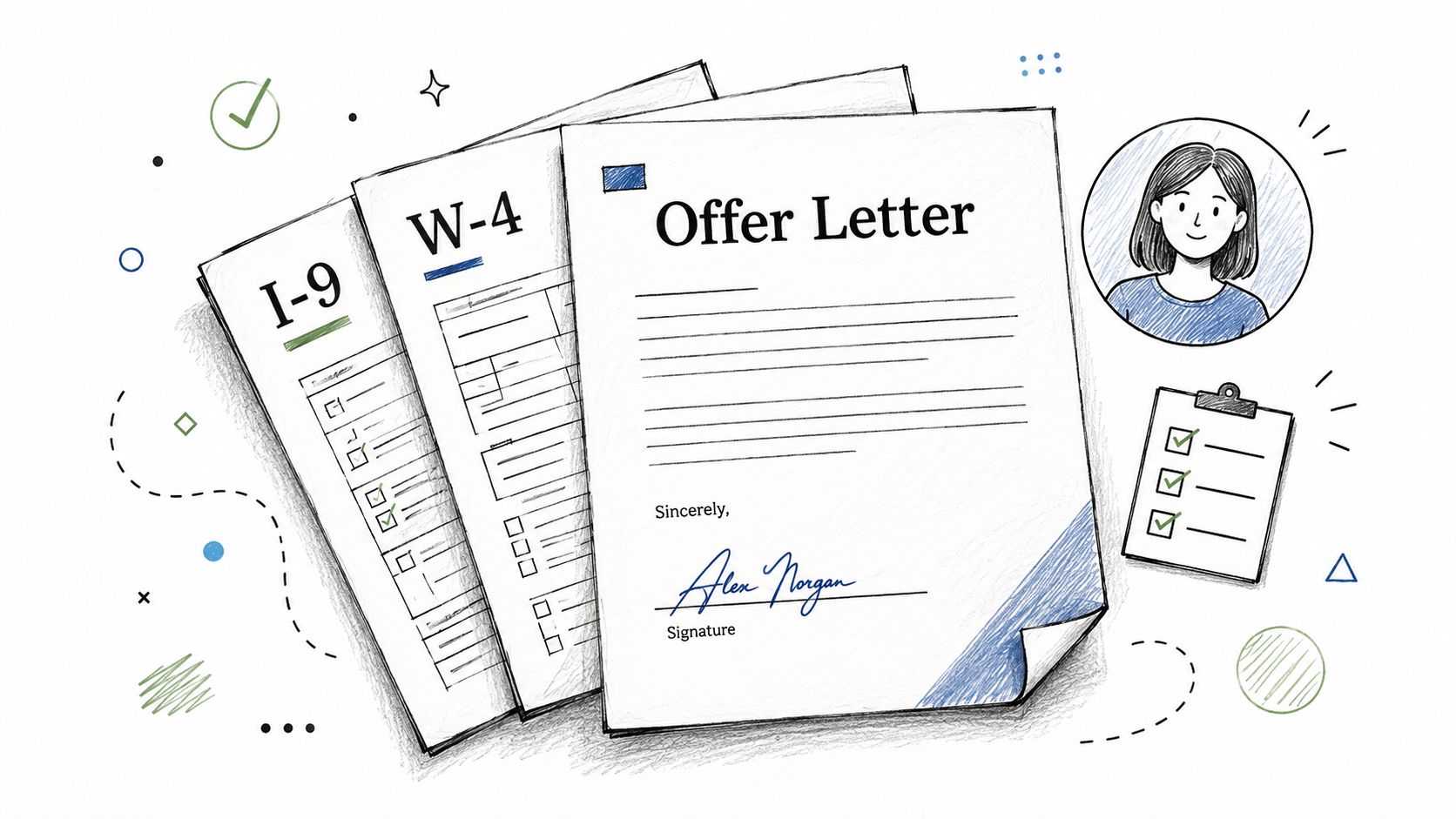
What makes onboarding fail
HR packets usually break for operational reasons, not legal ones. A field is mislabeled. A manager sends the wrong version. A remote hire opens the file on a phone and can't tell what's required.
These habits help:
- Segment by worker type: Don't make contractors work through employee-only forms.
- Give plain instructions: Tell signers what information they need before they begin.
- Store signed records centrally: HR shouldn't be searching inboxes for executed forms later.
- Train managers: The workflow falls apart if only one coordinator knows how to send it.
Clean onboarding feels fast to the employee and predictable to HR. If either side feels confused, the package needs work.
4. Real Estate Transaction Documents and Disclosures
Real estate creates signature sprawl. Buyers, sellers, agents, brokers, attorneys, lenders, and title staff all touch different parts of the transaction. That makes it a strong test of whether an electronic signature workflow is actually organized or just digital.
Purchase agreements and disclosures are where a practical electronic signature example earns its keep. People are often signing on the move, often on mobile, and often under time pressure. The workflow has to be clear without becoming casual.
Why real estate needs workflow discipline
This category usually involves more than one document and more than one signing sequence. Listing agreements, disclosures, amendments, inspection acknowledgments, lease paperwork, and lender-facing forms all move differently. If you use the same send order for every file, someone ends up signing too soon or reviewing the wrong version.
In U.S. contexts, the legal backbone for electronic signatures comes from the ESIGN Act, enacted in 2000, and electronic signatures are broadly defined by the National Archives as methods that identify and authenticate the signer and indicate approval. The same legal overview notes that electronic signatures can include PINs, passwords, digital signatures, digitized signatures, and biometric tokens, as explained in this overview of electronic signature types and legal foundations. For SignWith, the relevant compliance point is U.S. standards under ESIGN Act and UETA.
The records that matter later
Real estate teams often focus on getting signatures fast, which is understandable. However, operational value becomes evident later, when someone needs the exact disclosure version, the timestamped record, or proof of who signed which page.
The workflow should preserve:
- Signer order: Especially when broker review or lender steps matter.
- Document version: Avoid “final_final_v3” problems by locking the sent file.
- Completion evidence: Keep the audit trail with the signed record.
- Device accessibility: Many agents and clients sign from phones, not office desktops.
A fast close is great. A well-documented close is what saves time when someone asks questions months later.
5. Non-Disclosure Agreement and Confidentiality Agreements
NDAs are one of the best places to improve process because they're frequent, repetitive, and often tied to speed. A founder wants to share a deck. A consultant needs confidentiality in place before discovery. A software company wants protection before access is granted. The electronic signature example here is usually simple on the surface, but the workflow still matters.
An NDA should be easy to sign and hard to dispute. That means clean document language, the right signer names, a clear effective date, and stored records that are easy to retrieve later. It doesn't mean overbuilding the experience until counterparties hesitate to sign.
Fast is good, vague is not
For NDAs, I'd rather see a short, well-routed agreement than a bloated one that tries to solve every edge case. One-way and mutual NDAs should be separate templates. Employee, contractor, partner, and vendor versions usually need different language too.
If you're refining your process, this practical guide to e-signing an NDA is a useful starting point for setup and execution.
Good NDA workflows usually include:
- Your signature first when appropriate: That removes ambiguity about who initiated the agreement.
- One final version: Don't send edited attachments by email after the signature request goes out.
- Straightforward retention: Keep signed copies where legal, sales, or operations can retrieve them.
- Clear party names: Most NDA problems start with sloppy entity details, not the signature tool.
What kind of signature is enough
Most “electronic signature example” content falls short. It shows a typed name, a checkbox, or a drawn signature, but it doesn't answer the practical question. Is that enough for this specific agreement?
ContractSafe's discussion of e-signature examples highlights that the main issue isn't what the signature looks like. It's whether the workflow supports intent, consent, association with the record, and retention, and whether the signature type fits the transaction, as discussed in this analysis of e-signature examples and legal sufficiency. That's the right lens for NDAs. A pasted signature image may look formal, but a better process often comes from a system that tracks the signer, document, and completion record together.
The visual mark matters less than the evidence around it.
6. Client Proposal and Service Agreement Acceptance
A signed proposal should do more than win the deal. It should give delivery teams something they can actually use. That's why this electronic signature example matters so much for agencies, consultants, freelancers, and service firms. If the signature closes the sale but leaves scope fuzzy, operations inherits the mess.
The handoff from proposal to active work is where projects drift. Someone remembers one timeline, someone else remembers a different deliverable list, and pricing assumptions live in an email thread nobody can find. A signed agreement should stop that before it starts.
The handoff from sales to delivery
Digital signing helps most when the proposal is structured for execution, not just persuasion. Scope, timeline, pricing, assumptions, revision rules, and payment terms should be clear enough that the same document can guide onboarding and delivery.
Docusign reports that customers reduce signature-collection time by an average of 25 to 50 percent, improve contract turnaround time by 75 percent, and cut paper, ink, postage, and courier costs by about $4 to $10 per document, according to this business case for electronic signature. Those gains make sense in proposal workflows because sales delays are often just waiting for signatures and chasing attachments.
What to lock down before work starts
Service businesses get the most value when they treat the signed proposal as an operating document.
Focus on these sections:
- Scope boundaries: State what's included and what triggers a change request.
- Timeline assumptions: Tie dates to client approvals or asset delivery where needed.
- Pricing terms: Make fees, deposits, and billing triggers explicit.
- Approval authority: Ensure the signer is someone who can commit the client.
A proposal that signs fast but leaves room for interpretation isn't efficient. It just pushes conflict downstream.
7. Image-Based Document Signature Photo Mobile Capture
Some of the most practical signature workflows start with a document that was never designed for digital signing. It's a photo of a work order, a scanned inspection form, a printed lease page, or a field document captured on a phone. That's where image-based signing earns its place.
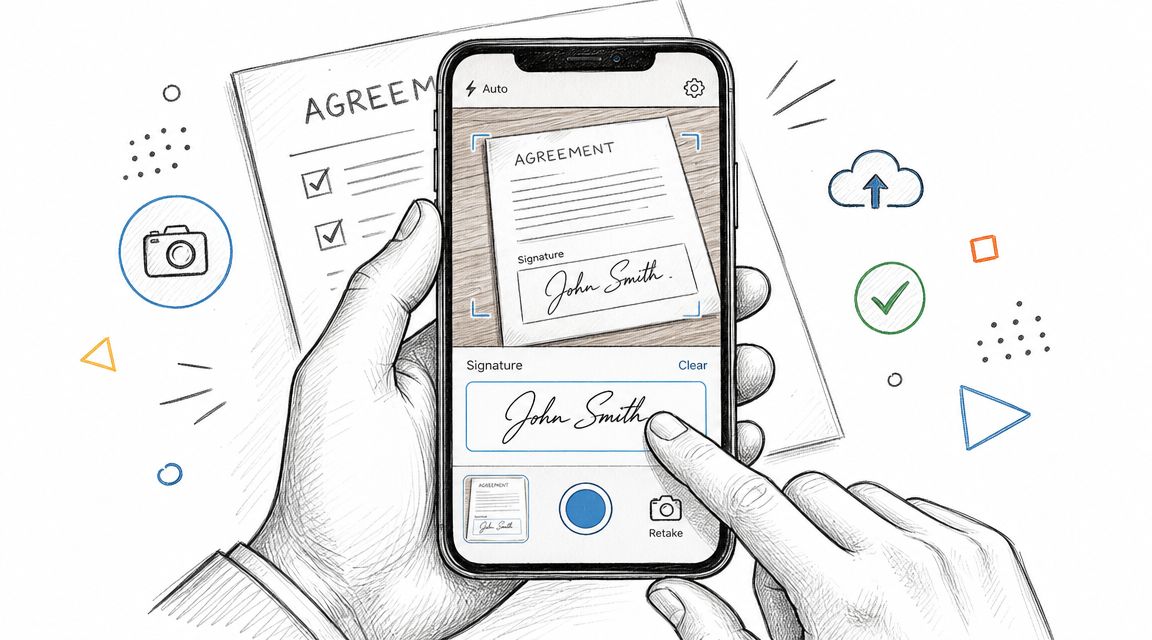
This is a strong electronic signature example for field-heavy operations. Construction supervisors, home service teams, property managers, adjusters, and mobile sales staff often need a signed record right away. Waiting for someone to recreate the document as a polished PDF usually slows essential operations.
When images beat waiting for a PDF
The benefit here is speed with enough structure. You capture the document as it exists, place the necessary fields, and send it while the context is still fresh. For on-site approvals, proof-of-delivery records, inspection sign-offs, and handwritten intake forms, that can be the difference between getting the signature now and chasing it later.
The downside is quality control. Skewed pages, dark lighting, cut-off margins, and giant file sizes create friction fast. Mobile convenience only helps if the image is readable and the fields land where signers expect them.
A short product walkthrough can help if your team is building mobile-first processes:
How to keep mobile capture usable
This workflow needs a little discipline from the sender. A blurry image with crooked edges isn't “good enough” just because it's digital.
What tends to work best:
- Capture in good light: If the text is hard to read in the image, the signed record will be hard to trust later.
- Fill the frame cleanly: Keep edges visible and straight so field placement stays predictable.
- Limit file weight: Oversized images slow uploads and frustrate mobile signers.
- Archive both versions: Keep the original captured image and the completed signed copy.
A mobile-friendly signature process isn't just about signing on a phone. It's about sending a document that still makes sense on a phone.
7 Electronic Signature Use-Case Comparison
| Use Case | Implementation Complexity 🔄 | Resource Requirements ⚡ | Expected Outcomes 📊 | Ideal Use Cases 💡 | Key Advantages ⭐ |
|---|---|---|---|---|---|
| PDF Document Signature with Form Fields | Moderate, drag‑drop field setup per PDF | PDF files, template editor, moderate manual effort | Precise field placement, high compliance, polished documents | Contracts, formal agreements, multi‑page templates | Preserves layout/branding, familiar workflow, legally robust |
| Multi‑Signer Sequential Routing for Contracts | High, define order, conditional routing, notifications | Workflow engine, reliable emails, signer management, integrations | Controlled approvals, clear audit trail, potential delays if blocked | Approval chains (legal, finance, exec), complex contracts | Enforces hierarchy, auditability, reduces misrouting |
| HR Onboarding Document Packages | Moderate‑High, bundling + conditional logic and integrations | Multiple templates, HRIS/payroll integration, cross‑team coordination | Faster onboarding, complete compliance records, centralized archive | New hire packets, remote onboarding, recurring hires | Consolidates docs, faster completion, audit‑ready records |
| Real Estate Transaction Documents and Disclosures | High, multi‑party routing, state rules, notary support | MLS/transaction integrations, ID verification, notary tools | Shorter time‑to‑close, defensible records, occasional in‑person steps | Purchase agreements, closings, disclosures, title docs | Speeds closings, supports complex legal docs, mobile signing |
| NDA and Confidentiality Agreements | Low, template driven, single/multi‑party signing | Standard templates, signer info, legal review for clauses | Rapid execution, timestamped proof, easy tracking | Quick NDAs for partners, contractors, freelancers | Fast to deploy, legal acknowledgment, reduces friction |
| Client Proposal and Service Agreement Acceptance | Moderate, templates, version control, CRM/PM links | Proposal templates, CRM/PM integration, version tracking | Faster sales cycle, clearer scope, improved payment readiness | Agencies, consultants, freelancers closing engagements | Formalizes scope, reduces disputes, improves professionalism |
| Image‑Based Document Signature (Photo/Mobile Capture) | Low‑Moderate, image upload + mobile camera support | Mobile capture, image optimization, storage, optional OCR | Accessible on‑site signing, quick capture, variable image quality | Field services, inspections, deliveries, on‑site approvals | Accepts printed/legacy docs, mobile‑first, fast on‑site capture |
Your Next Step Implementing a Secure E-Signature Workflow
The pattern across all seven examples is simple. The signature itself is only one piece of the job. Value lies in the workflow around it: field placement that makes sense, routing that reflects how approvals happen, records that stay attached to the signed document, and a process that people can complete without training or back-and-forth.
That's also why “electronic signature example” is a more useful search than it first appears. The core question isn't what a digital signature looks like. They're asking which workflow fits the document in front of them. An NDA needs speed and clean records. A proposal needs scope clarity. HR packets need bundling and archiving. Real estate files need order and traceability. Field documents need mobile capture that doesn't break under real-world conditions.
In the U.S., secure implementation should line up with the ESIGN Act and UETA. In practice, that means using a process that supports signer intent, links the signature to the record, and preserves the completed document in a retrievable form. For most small businesses, that's less about legal theory and more about avoiding sloppy execution. If the wrong person signs, if the final version isn't stored, or if nobody can produce the audit trail later, the workflow wasn't strong enough.
Start with one repetitive process, not ten. Pick the document that causes the most chasing, printing, rescanning, or approval confusion. For many teams, that's an NDA, a client agreement, or a recurring HR form. Standardize the template, clean up the signer order, test it on mobile, and make sure the signed copy lands in the right place every time.
If you want a practical option, SignWith is one platform built around pay-per-document e-signatures, audit trails, multi-signer routing, and U.S. compliance with ESIGN Act and UETA. That model can make sense for teams that need solid workflows without adding another subscription just to send occasional documents.
If you want to stop printing, scanning, and chasing signatures, take a look at SignWith. You can upload PDFs or images, place fields, send documents for signature, and keep audit-trailed records without putting every signer through account setup.
