
Your laptop probably has a folder that tells the whole story.
Old proposals. Signed client agreements. Three versions of the same NDA. Tax PDFs mixed with draft invoices. Email attachments saved to desktop, then copied to cloud storage, then forgotten. If you're a freelancer or small business owner, that mess builds slowly. It often goes unnoticed until one needs a document fast, or realizes sensitive files have been kept far longer than they should.
That's where a document retention policy stops being legal jargon and starts being useful. It's a written rule for what you keep, how long you keep it, what starts the retention clock, and what you do when that period ends. For non-traditional workers, this matters more than most guides admit. Corporate-focused advice misses a huge part of the market, even though 58% of the workforce in major markets is now non-traditional, and 82% of freelancers report uncertainty about their record retention obligations according to Upwork's workforce research.
You don't need a records department to fix this. You need a practical system that fits how you work.
Table of Contents
- Why Your Old Files Are a Business Risk
- Defining What Your Policy Needs to Cover
- Building Your Document Retention Schedule
- Automating Retention with E-Signature Workflows
- Implementing Secure Storage and Defensible Disposal
- Keeping Your Document Retention Policy Effective
Why Your Old Files Are a Business Risk
A lot of owners think the risky move is deleting something too early. Sometimes that's true. But in day-to-day practice, I see the opposite problem more often. People keep everything because storage feels cheap and sorting feels annoying.
That decision creates a different kind of exposure. Old contracts still contain addresses, signatures, payment terms, and personal data. Expired onboarding packets still contain bank details and identity documents. Former client folders still sit in shared drives where nobody has reviewed access in months.
Keeping everything is not a safe strategy
A cluttered archive causes operational problems before it causes legal ones. You lose time searching. You rely on outdated versions. You can't tell which file is final. Then a tax question, client dispute, or audit request lands, and your “system” turns out to be a pile.
Practical rule: If a file has no clear business purpose, no defined retention period, and no disposal plan, it's not being managed. It's just being stored.
A sound document retention policy fixes that by forcing decisions in advance. You decide which records matter, how long they stay, and when they leave the system. That's very different from reacting under pressure.
Here's the trade-off that matters. Deleting too soon can hurt you. Keeping sensitive information forever can also hurt you. Good policy sits in the middle. It preserves what the business needs and removes what the business no longer has a reason to hold.
Small businesses have different failure points
Freelancers and lean teams usually don't fail because they ignored compliance on purpose. They fail because records live everywhere:
- Email first: Signed files stay buried in inboxes instead of a central folder.
- Device sprawl: A contract starts on a laptop, gets reviewed on a phone, then ends up in cloud storage with an unhelpful file name.
- No ownership: Everyone assumes someone else is keeping the final copy.
- Fear-based retention: People keep old documents “just in case” because they don't know what can be deleted.
That's why a small business document retention policy should be practical, not corporate theater. You don't need a fifty-page manual. You need a short written standard that tells you what counts as a record and what happens to it over time.
When clients ask me where to start, I don't begin with statutes. I begin with their actual workflow. What do you sign, what do you get paid for, what do you store, and what would seriously hurt if you couldn't find it tomorrow?
Defining What Your Policy Needs to Cover
Before you assign retention periods, you need to know what you're managing. Most small businesses don't have too few categories. They have too many vague ones like “Admin,” “Old Docs,” or “Client Stuff.”
The better approach is to identify records that document a real business action. If a file proves an agreement, payment, obligation, approval, or deliverable, it probably belongs in your policy.
Start with records that prove the business happened
Begin with the records you'd need to defend a decision, answer a tax question, complete a handoff, or resolve a dispute. For most small businesses, that includes signed contracts, invoices, tax documents, policy acknowledgments, payroll material if you have staff, and key client communications tied to scope or approval.
If you want a legal starting point you can adapt, it helps to customize data retention policy language to your actual business model instead of copying a generic enterprise template full of departments you don't have.
Use simple buckets, not legal theory
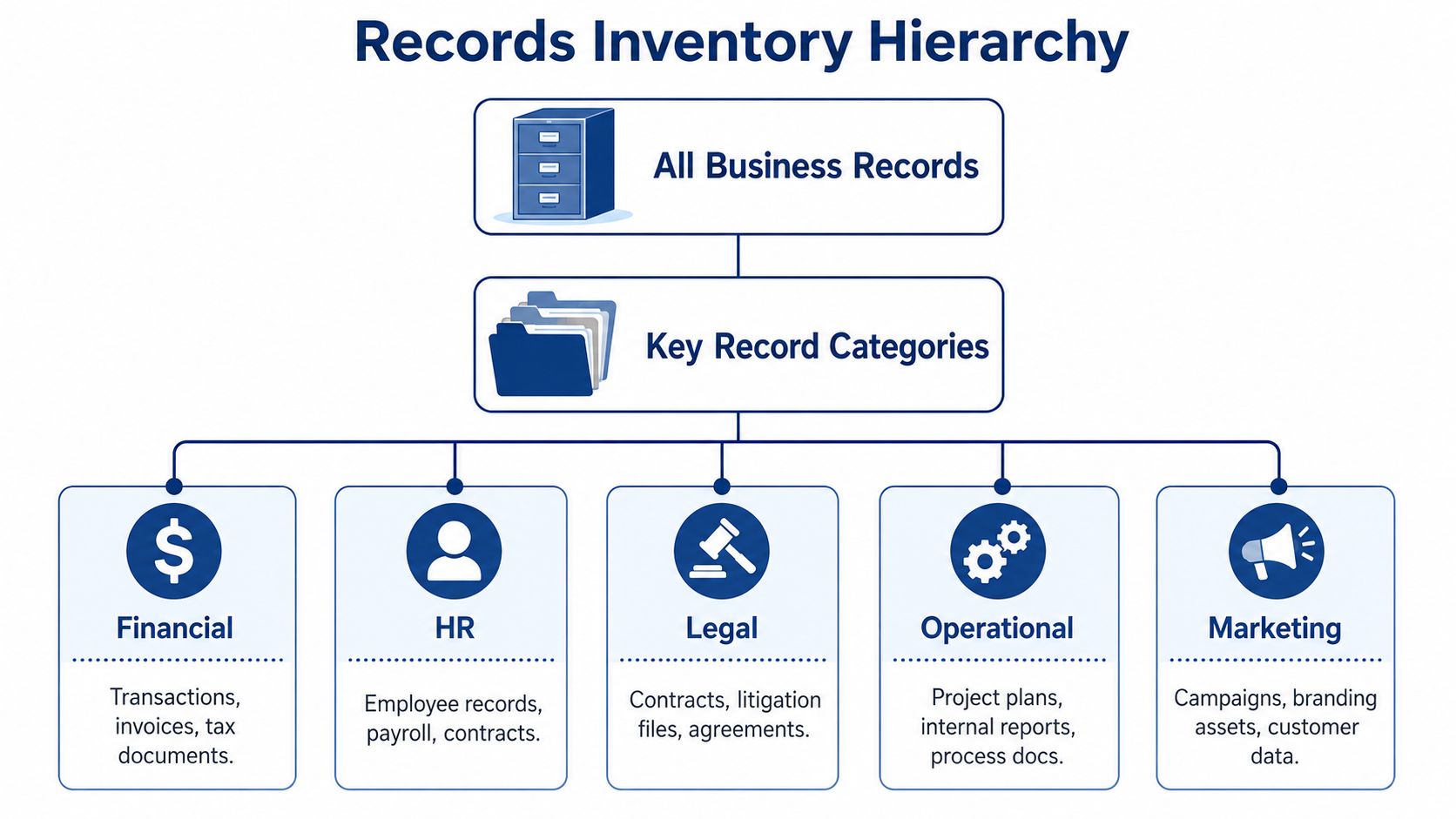
A small operation usually does well with a handful of clear categories:
- Financial records such as invoices, payment confirmations, expense support, and tax filings
- Legal records such as signed client agreements, NDAs, amendments, and dispute correspondence
- Operational records such as final project deliverables, approvals, and process documents
- HR records if you hire employees or contractors and need to retain onboarding or payroll-related material
- Marketing records such as approved campaign assets, consent records, and customer communications tied to offers or commitments
This doesn't need to be perfect on day one. It needs to be understandable. If you can't decide where a file belongs without a debate, your categories are too abstract.
Separate records from clutter
One of the easiest wins is separating official records from transitory material. Not every file deserves formal retention.
Use this quick filter:
| Item | Keep as a business record | Usually treated as clutter or transitory |
|---|---|---|
| Signed agreement | Yes | No |
| Final invoice sent to client | Yes | No |
| Draft proposal with internal notes | Usually no, unless needed for a dispute or approval trail | Usually yes |
| Duplicate downloaded attachment | No | Yes |
| Final project approval email | Often yes | No |
| Random scheduling email | No | Yes |
Keep the version that proves the transaction. Delete the copies that only multiply confusion.
Also identify your vital records. These are the files that would interrupt operations if they vanished today. Think executed contracts, tax submissions, formation records, insurance material, banking authorizations, and active client deliverables. Those records need better naming, clearer storage, and tighter access than everything else.
If you do this part well, the rest of the policy gets much easier. You're no longer trying to “manage all files.” You're managing a defined set of records that matter.
Building Your Document Retention Schedule
A retention policy becomes real when you can answer a simple question under pressure. A client asks for old records. A tax issue comes up. A former contractor disputes payment. Which files do you keep, for how long, and what happens when that period ends?
Your schedule should answer that without guesswork.
A workable schedule has four parts: record type, retention period, trigger date, and disposal action. If any one of those is missing, small teams start improvising. That is how files get kept too long, deleted too early, or buried in five different folders with no clear owner. Guidance from Access on defensible retention schedules makes the same point. Retention periods need to be specific and tied to a defined event or time frame.
Use a table people can actually follow
A vague rule like "keep important records as needed" sounds sensible until someone has to apply it. Six months later, "important" usually means whatever the last person thought it meant.
Use a simple table with these fields:
- Record type
- Retention period
- Trigger for period
- Disposal action
The trigger is where many policies fall apart. "Keep contracts for seven years" is incomplete. Seven years from signature, expiration, final payment, or termination. Those are different dates, and the difference matters if you ever need to justify why a file was deleted or kept.
Regulated industries often spell this out clearly. Guidance summarized by IS Partners notes several common benchmarks: HIPAA-related records are often kept for at least six years, SOX-related audit and review records for seven years, and some government grant records for three years after final reporting. Use those as examples of how retention rules work. Do not copy them into your own schedule unless they apply to your business.
Sample document retention schedule for small businesses
Below is a practical model for freelancers and small businesses. These are placeholders, not legal advice. Final periods should match your contracts, tax rules, industry requirements, and state law.
| Record Type | Retention Period | Trigger for Period | Disposal Action |
|---|---|---|---|
| Signed client contracts | Term of agreement plus the post-expiration period set by your policy | Contract expiration or termination | Review for open disputes, then securely delete or archive |
| NDAs | Term of agreement plus the post-expiration period set by your policy | Expiration or termination | Secure deletion |
| Invoices and payment records | Period required by tax and accounting needs | End of tax year or payment completion | Secure deletion |
| Tax filings and supporting records | Period required by tax rules and advisor guidance | Filing date or tax year close | Secure deletion, with selected core filings archived |
| Project deliverables and client approvals | Based on contract terms, dispute risk, and reuse needs | Project completion or final approval | Archive or secure deletion |
| Employee onboarding and payroll records | Based on payroll and employment law requirements | Termination date or payroll year close | Secure deletion |
| Policy acknowledgments and compliance records | Based on the rule governing the policy | Last effective date or acknowledgment date | Secure deletion or archive |
For firms that collect signed approvals, engagement letters, or billing documents, this matters even more. The cleaner your signing workflow, the easier it is to apply dates consistently. That is why many accounting firms are shifting away from ad hoc PDF handling and using structured approval flows, as covered in this guide to e-signatures for accounting companies.
Set retention periods with risk in mind
Small businesses do not need a giant enterprise records matrix. They do need defensible reasons for each period.
Start with three questions:
- Does a law, regulation, contract, or insurer set a minimum period?
- How long could this record reasonably be needed for taxes, disputes, refunds, audits, or client questions?
- What is the cost of keeping it longer than necessary, including storage, search clutter, and privacy exposure?
That last point gets ignored. Keeping everything feels safe, but old files create their own risk. Outdated personal information, superseded agreements, and duplicate approvals can all become problems during a dispute or data breach review.
Where small teams usually get this wrong
The first mistake is using one retention period for everything. It saves setup time and creates confusion later because contracts, tax records, drafts, and HR files do not carry the same legal or operational weight.
The second is skipping disposal. A schedule that tells you only how long to keep records is incomplete. It also needs to say whether the file is deleted, archived, or reviewed for an exception.
The third is choosing triggers that nobody can apply consistently. "After the project ends" sounds fine until three people define the end differently. Use dates that can be verified, such as signature completion, final invoice paid, employee termination, or policy superseded.
A good schedule should work even when the person who created it is on vacation. If someone else can read the table and make the same decision you would make, the schedule is doing its job.
Automating Retention with E-Signature Workflows
Most document retention policies still live as static instructions in a PDF or handbook. That's one reason they break down. People have to remember them manually, apply them consistently, and track dates without a clean trigger.
Guidance on modern records management has started to highlight the gap. Existing DRP content still treats retention like a legal checklist, while few practical guides explain how to connect retention to real workflow events such as a completed signature, as noted in Hyland's research page on the shift toward cloud content workflows.
The signature event is a clean retention trigger
For small businesses, modern tools provide the greatest assistance. A signature completion is clear. It's date-stamped. It marks the point where a draft becomes a final business record.
That matters because retention schedules work best when the trigger is objective. “When everyone has signed” is objective. “When someone remembers to move the PDF into the archive folder” is not.
A good workflow after signing should do a few things automatically:
- Save the final version in one approved location
- Preserve the audit trail with the signed record
- Apply a category such as contract, NDA, or HR form
- Start the retention clock based on the event you defined
- Limit confusion by distinguishing draft files from completed records
If you're still learning the mechanics, this walkthrough on how to eSign a document is a useful baseline before you map signatures into retention rules.
What a workflow should do after signing
For freelancers, the main benefit isn't sophistication. It's consistency. A tool-driven workflow reduces the chance that the final signed record stays trapped in email, gets renamed five times, or ends up saved on only one device.
That's why I push owners to think about workflow-embedded compliance instead of separate compliance tasks. If the act of signing also creates the final archived record, you remove an entire layer of human error.
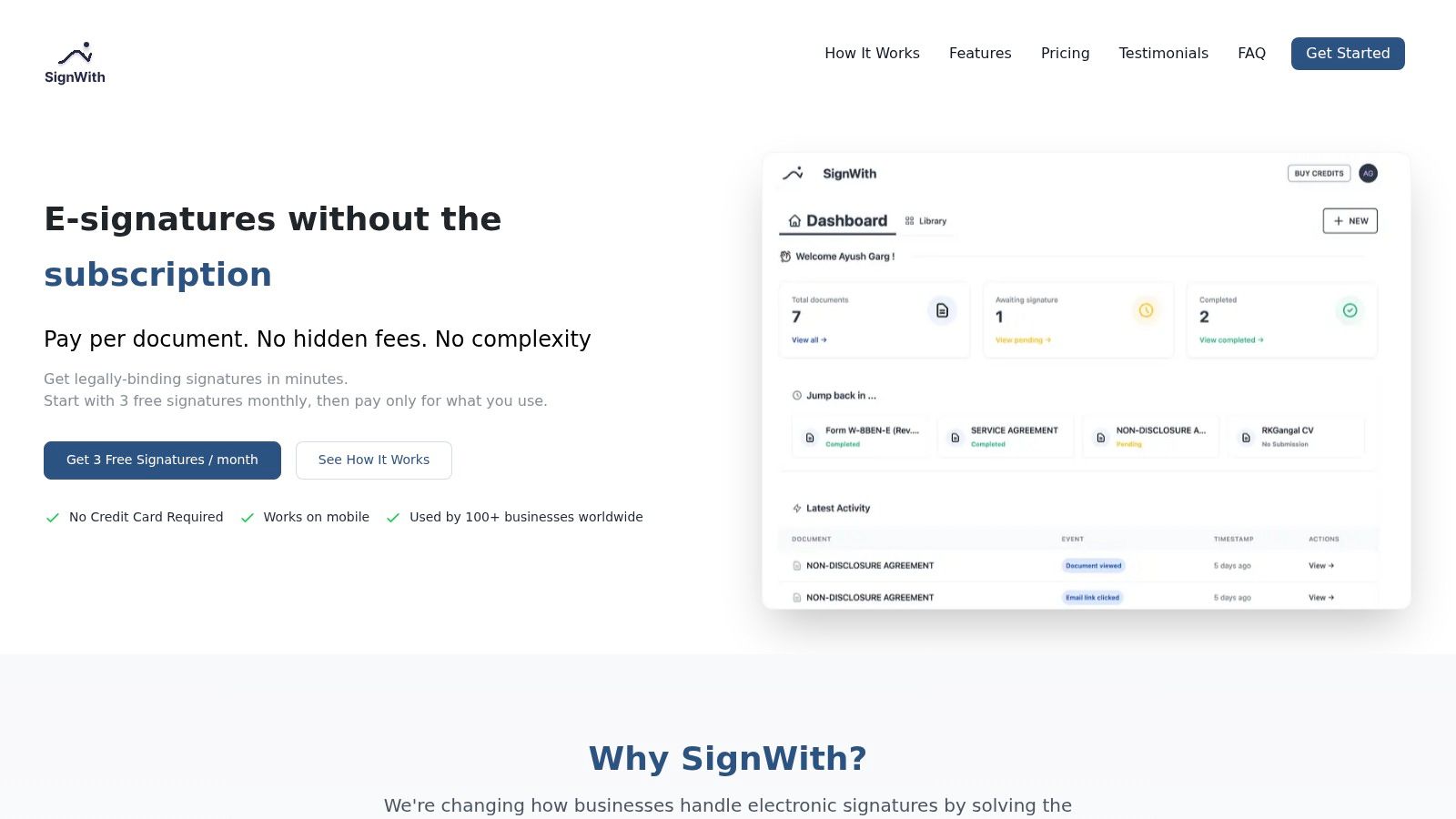
SignWith fits this model well because the platform is designed around simple document execution and archived signed copies, and it complies with the USA standards for electronic signatures under the ESIGN Act and UETA. For a small business, that matters more than a bloated feature list. You want the signed record to be legally binding, easy to retrieve, and tied to a clean event date.
This is the practical setup to aim for:
- A contract is sent for signature.
- Signing completes.
- The final signed copy and audit trail are stored together.
- The file is named and placed according to your schedule.
- The retention period starts from the defined trigger.
Here's a short demonstration of the kind of workflow mindset that makes this easier to operationalize.
You don't need enterprise automation software to benefit from this. Even a modest e-signature process can turn retention from a manual afterthought into a built-in business routine.
Implementing Secure Storage and Defensible Disposal
A retention schedule only works if the records are stored securely while you need them and destroyed properly when you don't. Most small businesses are better at the first half than the second.
They save documents somewhere. They back up some of them. But when the retention period ends, nobody acts. Files sit in shared folders forever. Old paper copies stay in cabinets. Former client records remain available long after the business purpose has ended.
Secure storage is about control, not fancy software
You don't need a large records platform to store documents well. You need a storage method that answers three questions clearly:
- Who can access the file
- Where the final version lives
- How you'll retrieve it when needed
For many small teams, that means an encrypted cloud repository with restricted permissions, plus a consistent folder structure and naming convention. If you still keep paper, lock it physically and make sure someone owns the key and the indexing logic.
Privacy matters here too. If your retention process involves signed agreements, client identifiers, or personnel records, your storage choice should support controlled access and secure handling. SignWith outlines its security practices on its privacy and security page, which is the kind of detail worth checking from any vendor involved in your document flow.
Defensible disposal means you can explain what happened
Deleting a file isn't the same as disposing of it defensibly. A defensible process is one you can describe and show if someone later asks, “Why is this record gone?”
Common failures are predictable. Organizations often over-retain data indefinitely, fail to assign a process owner, and skip training, while guidance stresses that documented destruction logs and secure deletion are core controls, not optional extras, according to Cloudficient's document retention best practices.
That leads to a straightforward rule set:
- For paper records, use cross-cut shredding or a reputable destruction service.
- For digital records, use secure deletion methods that fit your storage environment.
- For recurring disposal, keep a destruction log with the record category, date, method, and responsible person.
- For legal disputes or audits, pause normal destruction if relevant records may need to be preserved.
If you still manage paper files, a local secure service such as Reworx Recycling document destruction shows the kind of shredding option many small businesses use when they need verified disposal rather than office-bin “deletion.”
A simple operating rule for lean teams
If nobody owns destruction, nothing gets destroyed.
That's the truth in most small organizations. Name one person. It may be the owner, operations lead, office manager, or finance lead. But make it explicit.
Then keep the protocol simple:
| Stage | What to do |
|---|---|
| Active retention | Store records in the approved system with controlled access |
| Review point | Check whether the retention period has expired and whether any hold applies |
| Disposal | Shred, securely delete, transfer, archive, or review according to the schedule |
| Logging | Record what was destroyed, when, and by whom |
The goal isn't aggressive deletion. The goal is controlled deletion. That's what lowers risk without creating panic.
Keeping Your Document Retention Policy Effective
A document retention policy goes stale faster than most owners expect. New services get added. You start hiring. You switch software. You begin collecting new client information. Suddenly the policy still exists, but it no longer matches the business.
That's why a widely used benchmark is to review and refresh retention schedules every 12 to 18 months so they stay aligned with changing rules and operations, as noted in Contoural's guidance on records retention schedules.
Review on a calendar, not by memory
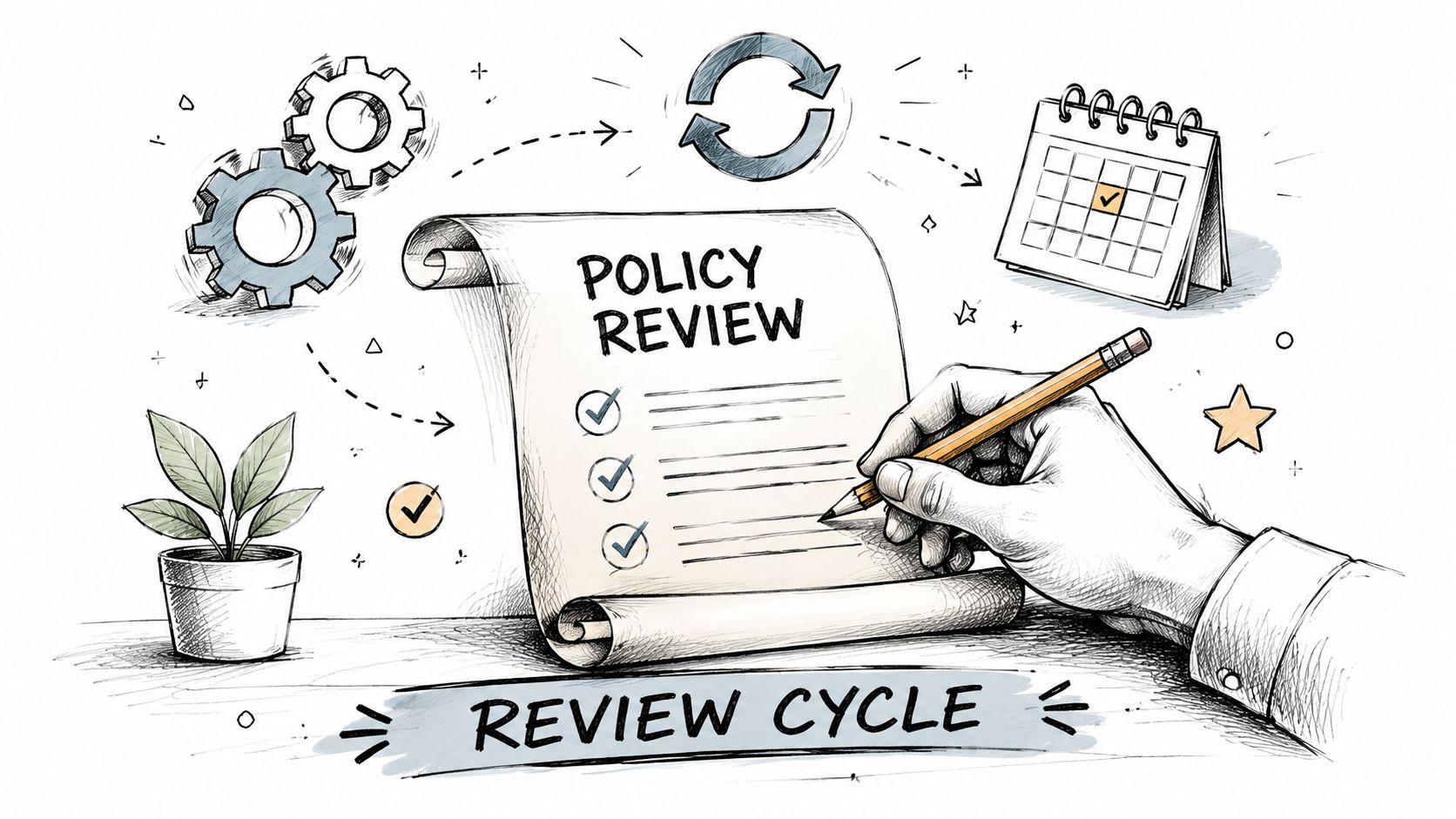
Don't wait until a dispute, staff change, or audit request exposes the gaps. Put the review on the calendar. If your business changes quickly, review closer to the early end of that window. If your operations are stable, the later end may be enough.
For a one-person business, the review can be short. The point isn't ceremony. The point is making sure the written rules still match the records you create.
What to check during each review
Use a short checklist.
- New document types: Did you start using new contracts, onboarding forms, or approval records?
- Workflow changes: Are signed files still being stored where the policy says they should be?
- Access changes: Can former staff, contractors, or old collaborators still reach records they no longer need?
- Disposal follow-through: Did expired records leave the system, or are they just aging in place?
- Ownership: Is one person still responsible for retention and disposal decisions?
One more point matters. Keep the policy readable. If your document retention policy becomes too complicated for you or your team to follow, compliance drops. A shorter policy that gets used beats a perfect one that nobody opens.
A good policy for a small business usually has three traits. It's specific, it fits the workflow, and it tells people what to do after the retention period ends. That's enough to move you out of guesswork and into a system you can maintain.
If you want a simple way to handle signed documents without subscription bloat, SignWith is built for exactly that kind of small-business workflow. You can send documents for legally binding e-signature under the ESIGN Act and UETA, keep clear audit trails, and manage occasional signing needs without committing to a heavy enterprise platform.